Page Designer is one of the most amazing new features in version 10 but as any new functionality it also introduces a learning curve. In this article we are answering the most common questions people ask us about Page Designer usage.

If you have Page Designer questions that are not answered in this article feel free to ask here in comments or via helpdesk.

How to work with additional pages?

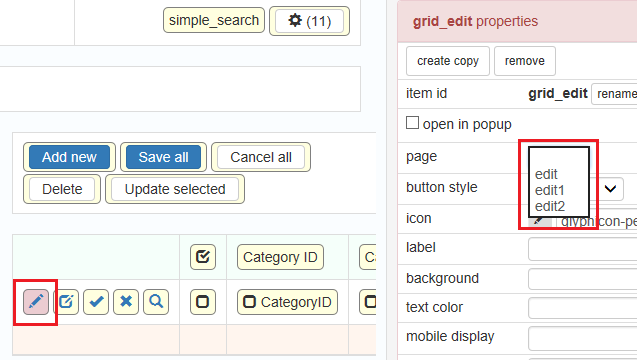
In version 10 you can add extra pages of the same type. For instance, besides the main edit page you can have extra edit pages named edit1, edit2 etc. The big question is how to use these additional pages in your application.

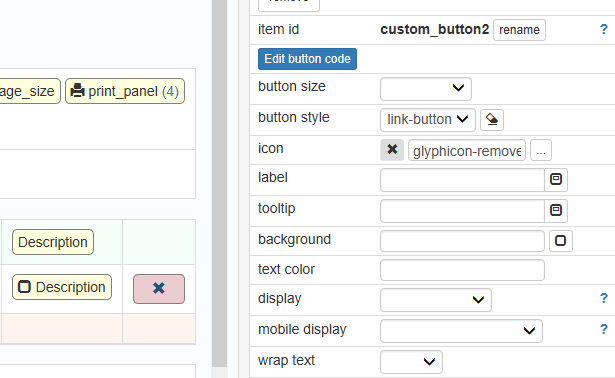
Changing button properties

Since we created multiple edit pages lets see how we can use those. On the List page select Edit button. On the right side using ‘Page’ dropdown select the page this button will open.

Continue Reading "Page Designer: Frequently Asked Questions Answered"

If you purchased or upgraded PHPRunner, or ASPRunner.NET less than one year ago logon to control panel at https://xlinesoft.com/dss/support.asp and find download links and registration keys under ‘My purchases’. There should be ‘Reg info’ link next to your latest upgrade purchase.

Note: Software maintenance coverage needs to be continuous. If your last purchase or upgrade were more than one year ago you have till February 28, 2019 to renew your maintenance. After that date you will have to purchase PHPRunner, ASPRunner.NET or ASPRunnerPro at the full price.

Continue Reading "PHPRunner 10.1 and ASPRunner.NET 10.1 are here!"

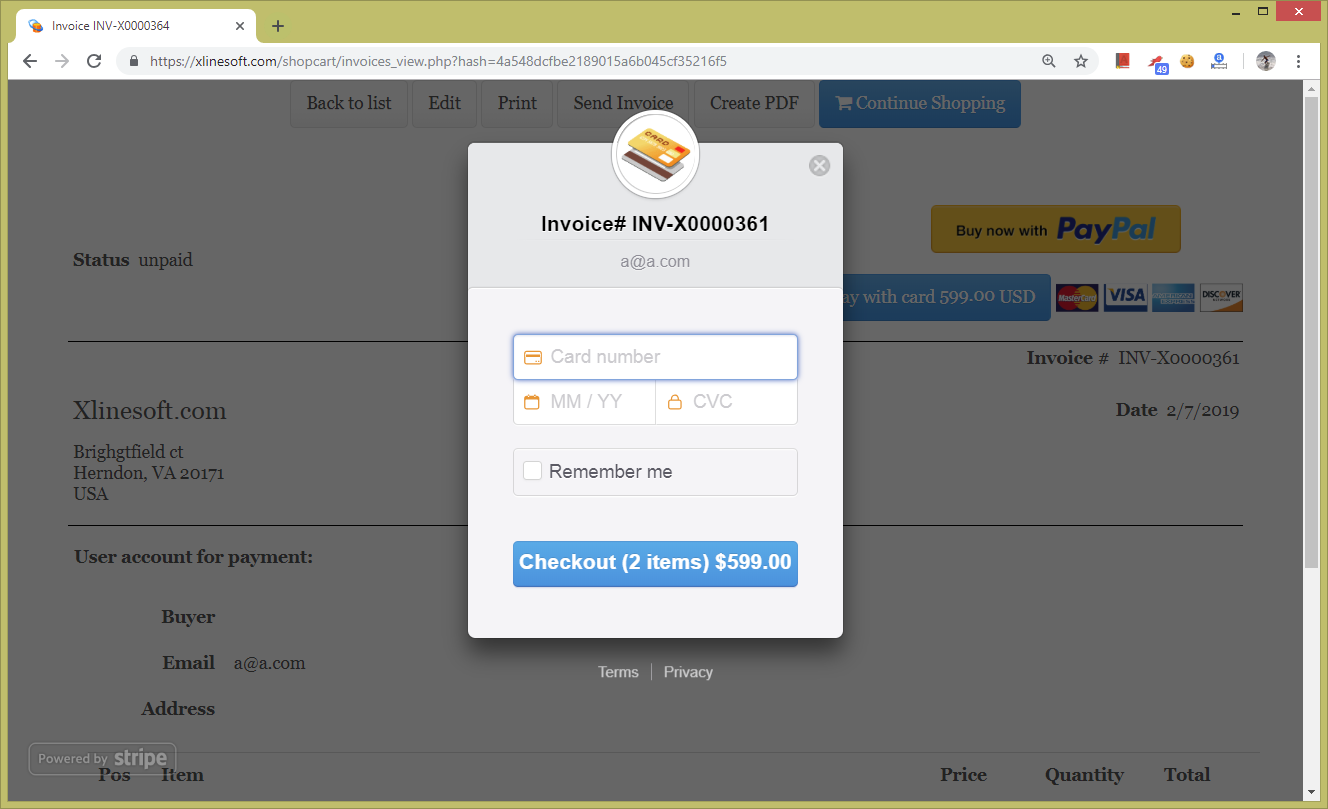
If you purchased or upgraded PHPRunner, ASPRunner.NET or ASPRunnerPro recently you may have noticed that we are using a new checkout solution based on Invoice template. In this article we will show you steps required to add this kind of functionality to your project.

To see how it works live proceed to PHPRunner purchase page, select Edition, enter your email address, add more options on the next screen and click Continue.

Continue Reading "Using Invoice template as a checkout solution"

The wait is over. PHPRunner 10 and ASPRunner.NET 10 are here!

If you purchased or upgraded PHPRunner, ASPRunnerPro or ASPRunner.NET less than one year ago logon to control panel at https://xlinesoft.com/dss/support.asp and find download links and registration keys under ‘My purchases’. There should be ‘Reg info’ link next to your latest upgrade purchase.

Note: Software maintenance coverage needs to be continuous. If your last purchase or upgrade were more than one year ago you have till July 31, 2018 to renew your maintenance. After that date you will have to purchase PHPRunner, ASPRunner.NET or ASPRunnerPro at the full price.

Continue Reading "PHPRunner 10 and ASPRunner.NET 10 are here!"

Version 10 makes creating multi-column forms easier. In previous versions you needed to select layout on Style Editor page. In version 10 you can do this right in Page Designer and you can change it at any time without resetting the page. Changes you made to your page will no be lost.

In this article we use Customers table from Northwind database. In Page Designer select Edit page. Here is how it looks by default (all images are clickable):

Continue Reading "Using multi-column design in version 10"

It is about time we talk about version 10 of PHPRunner, ASPRunner.NET and ASPRunnerPro. We expect beta version to be available in November and stable version will be released before the end of the year.

Make sure that your software maintenance is current. Otherwise you will have to purchase version 10 at the full price.

The most interesting new feature in this update is Page Designer which will complement and eventually will replace the Visual Editor. This is quite a big change and before we talk about new functionality I need to explain why this change was required.

Continue Reading "Version 10. Page designer"