What is Docker? Docker is a software platform that allows you to package, distribute, and run applications within self-contained units called containers. These containers include everything the application needs, like code, runtime, and libraries, ensuring consistent execution across different environments. How this can be useful? There are many possible uses of Docker containers. You can use them for testing for instance. If you have a website that runs on PHP 8.1 and want to make sure that switching to PHP 8.3 doesn’t break anything, you…Continue Reading “Running PHPRunner application as a Docker container”
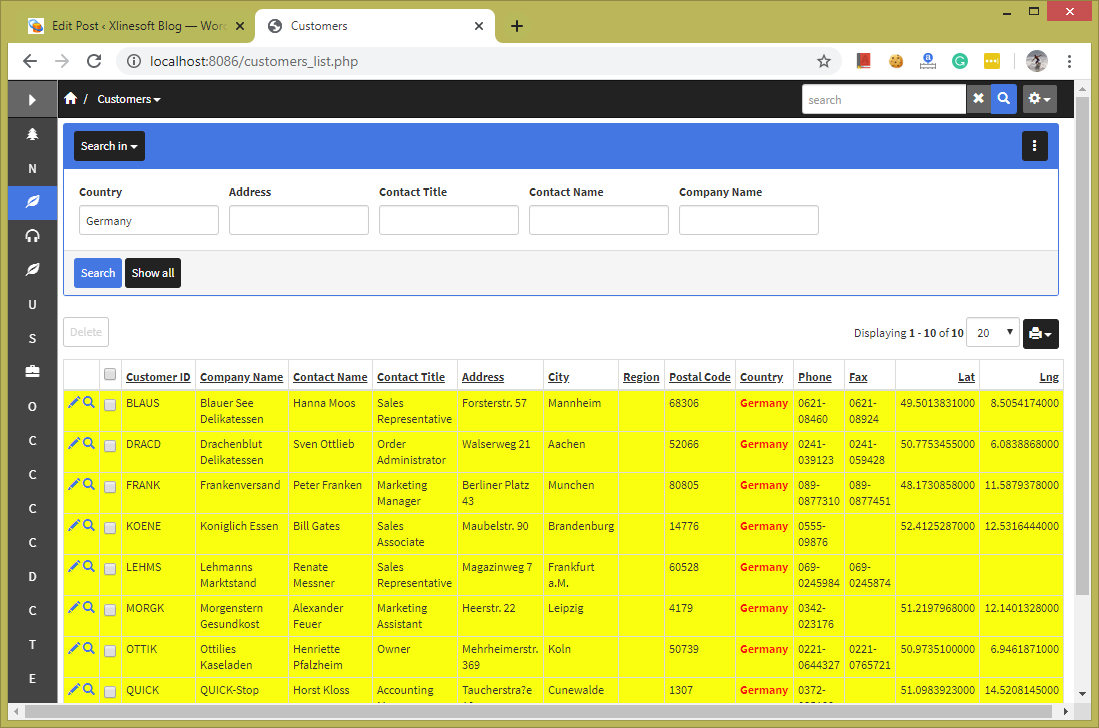
The search panel is displayed vertically on the left side of the List page by default. Sometimes you need to make it more prominent and place it above the grid, just like on the screenshot below.
There was an article posted back in 2007 in our forums that provided a solid start for many SEO-friendly URLs applications. It is about time to talk about how you can implement it in version 10.x of PHPRunner, ASPRunnerPro, and ASPRunner.NET. We have helped one of our clients to implement this solution in their project. They run a website that lists public voters’ information in certain Florida counties. The objective is to make these pages rank high when someone searches for county, city or neighborhood…Continue Reading “SEO-friendly pages in your web application”
PHPRunner normally provides Delete selected for removing one or more records from a List page. In some applications, it is more convenient to place a Delete action directly on each row next to the standard View, Edit or Copy actions.
This tutorial shows how to add a row-level Delete button, ask for confirmation, delete the correct record and reload the List page afterward.
Before you add the button
Place the custom button inside the grid row. This is important because the button needs access to the current record so the server-side code can determine which row should be deleted.
You will also need to know the table name and the key field used to identify each record. In the example below, the table is categories and the key field is CategoryID. Replace those values with the corresponding names from your project.
Security note: a custom button that calls DB::Delete() does not automatically inherit all of the behavior of PHPRunner’s standard Delete action. Make sure the button is only available to users who are allowed to delete the corresponding records, and add any additional permission checks your application requires.
1. Add the button to the grid
Open the List page in Page Designer and insert a button. Move the button into one of the grid columns so it becomes part of each record row.
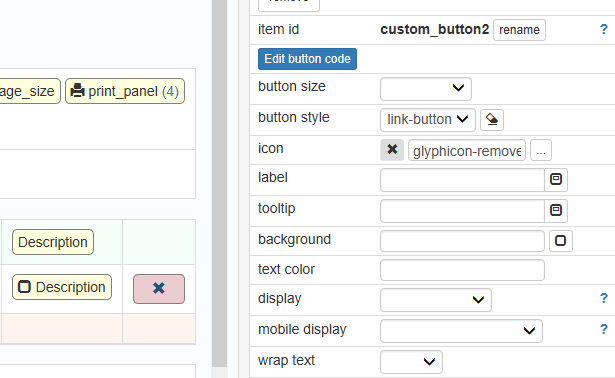
Choose a button style that matches the other row actions, such as View or Edit. Select an appropriate delete or trash icon from the icons available in your current PHPRunner version.
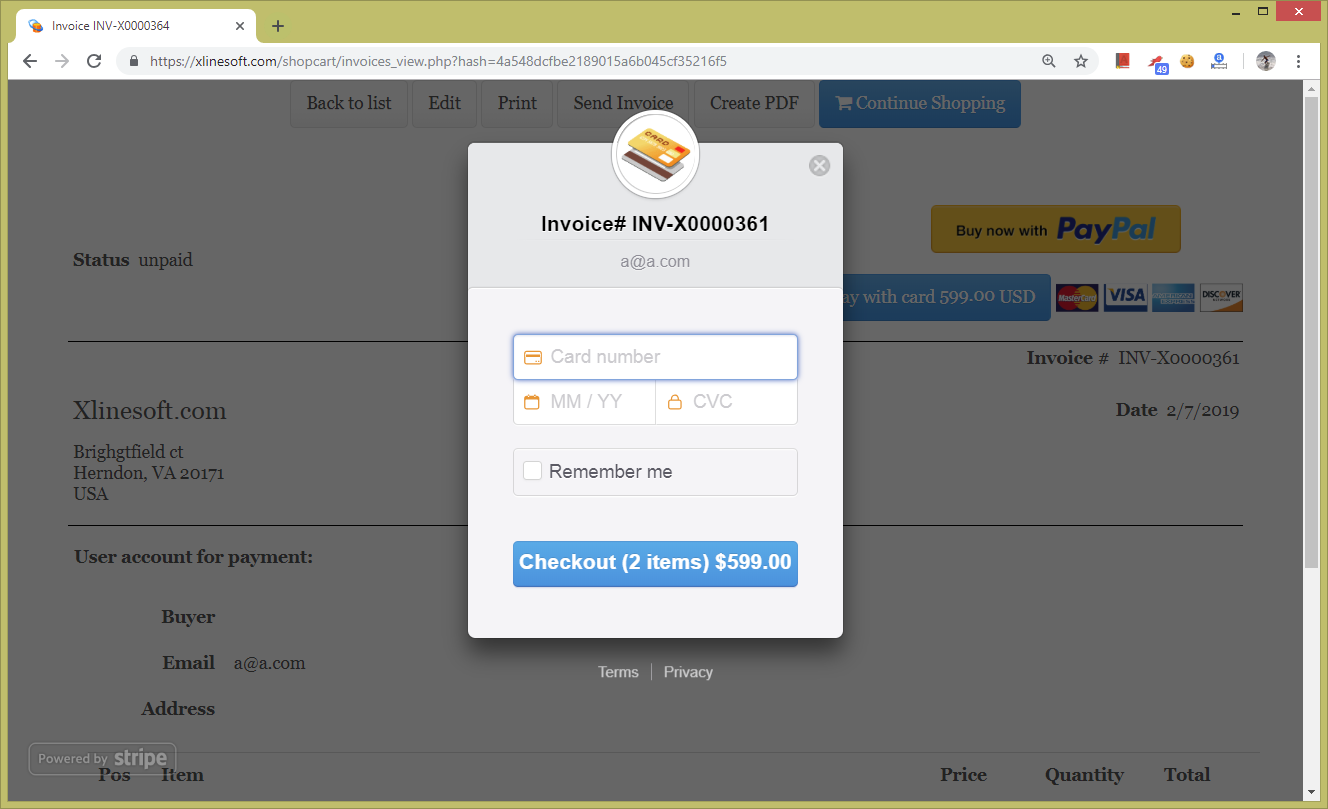
If you purchased or upgraded PHPRunner, ASPRunner.NET or ASPRunnerPro recently you may have noticed that we are using a new checkout solution based on Invoice template. In this article we will show you steps required to add this kind of functionality to your project.
To see how it works live proceed to PHPRunner purchase page, select Edition, enter your email address, add more options on the next screen and click Continue.
Lets say you run a mini-hotel and need to build a very simple reservation system. In this article we will show how avoid double-booking only showing the rooms that are available for selected date range. Similar approach can be applied to any other reservation system i.e. if you need to build conference rooms reservation app.
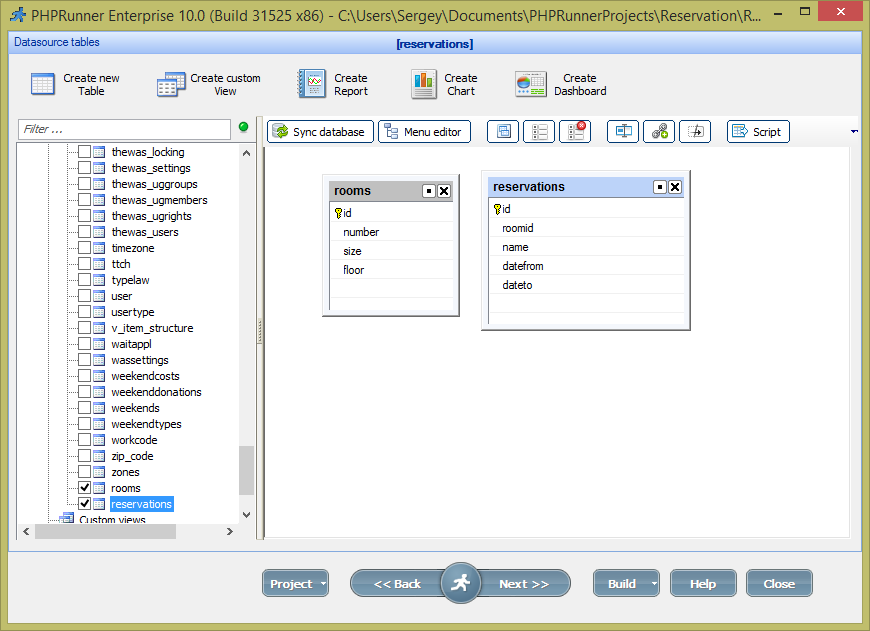
In our database we need two tables, Rooms and Reservations.
PHPRunner 9.7, ASPRunnerPro 9.7 and ASPRunner.NET 9.7 released!
New customer purchase links:
PHPRunner
ASPRunnerPro
ASPRunner.NET
Upgrade links:
PHPRunner
ASPRunnerPro
ASPRunner.NET
Trial version download links:
http://xlinesoft.com/download
Here is the list of new features in version 9.7.
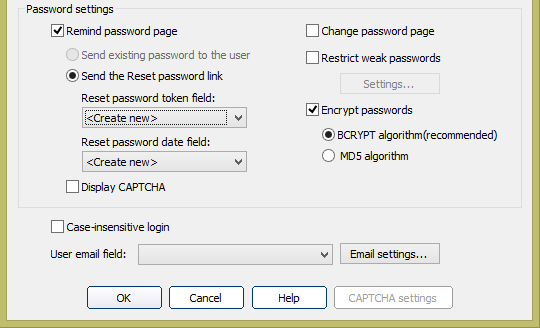
1. Improved password hashing
Option to use industry standard bcrypt hashing algorithm. Send password reset link to user’s email, link expires in 24 hours.
PHPRunner 9.6, ASPRunnerPro 9.6, ASPRunner.NET 9.6 released (November 10th, 2016).
If you purchased or upgraded PHPRunner, ASPRunner.NET or ASPRunnerPro after November 10, 2015 this update is free of charge for you. Logon to control panel at https://xlinesoft.com/dss/support.asp and find download links and registration keys under ‘My purchases’. If you do not have a help desk account yet create a new one using the same email address you have used to place the order.
‘Buy now’ pages
Upgrade pages
Important: if you purchased PHPRunner, ASPRunnerPro or ASPRunner.NET before November 10th 2015 you have till November 20th, 2016 to use discounted upgrade option. After November 20th, 2016 you will have to purchase software at the full price. Do not miss your chance to upgrade for less.
‘Update selected’ feature
This is a long awaited feature that allows you quickly makes changes to multiple records. You can choose fields to appear on ‘Update selected’ dialog. Depending on Edit page settings ‘Update selected’ page can be shown either in popup or as a separate page.

Runner.displayPopup() provides a convenient way to display an application page or custom HTML in a popup window. The examples below cover the core options and common ways to use the function in PHPRunner and ASPRunner.NET.
You can use this JavaScript function in places such as the JavaScript OnLoad event or the ClientBefore event of a custom button.
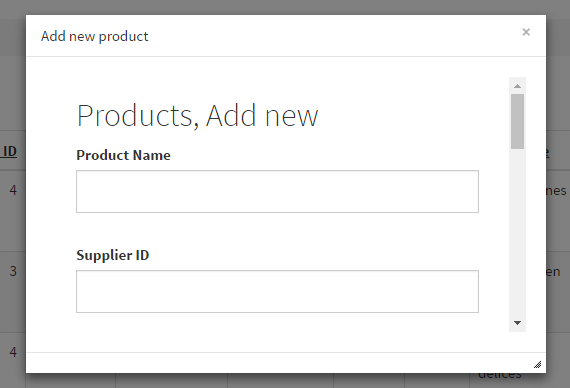
The simplest example requires only the URL of the page to display. Here is how to open the Add page of the Products table:
PHPRunner 9 adds an option to build and package desktop applications as well as web applications. In this article we’ll try to answer most common questions and explain what PHPRunner desktop applications can and can not do.
How it works
First of all, Desktop apps functionality is built on the top of wonderful open source PHP Desktop project. PHP Desktop packages together the following software components:
- web server (Mongoose)
- PHP
- Chrome browser