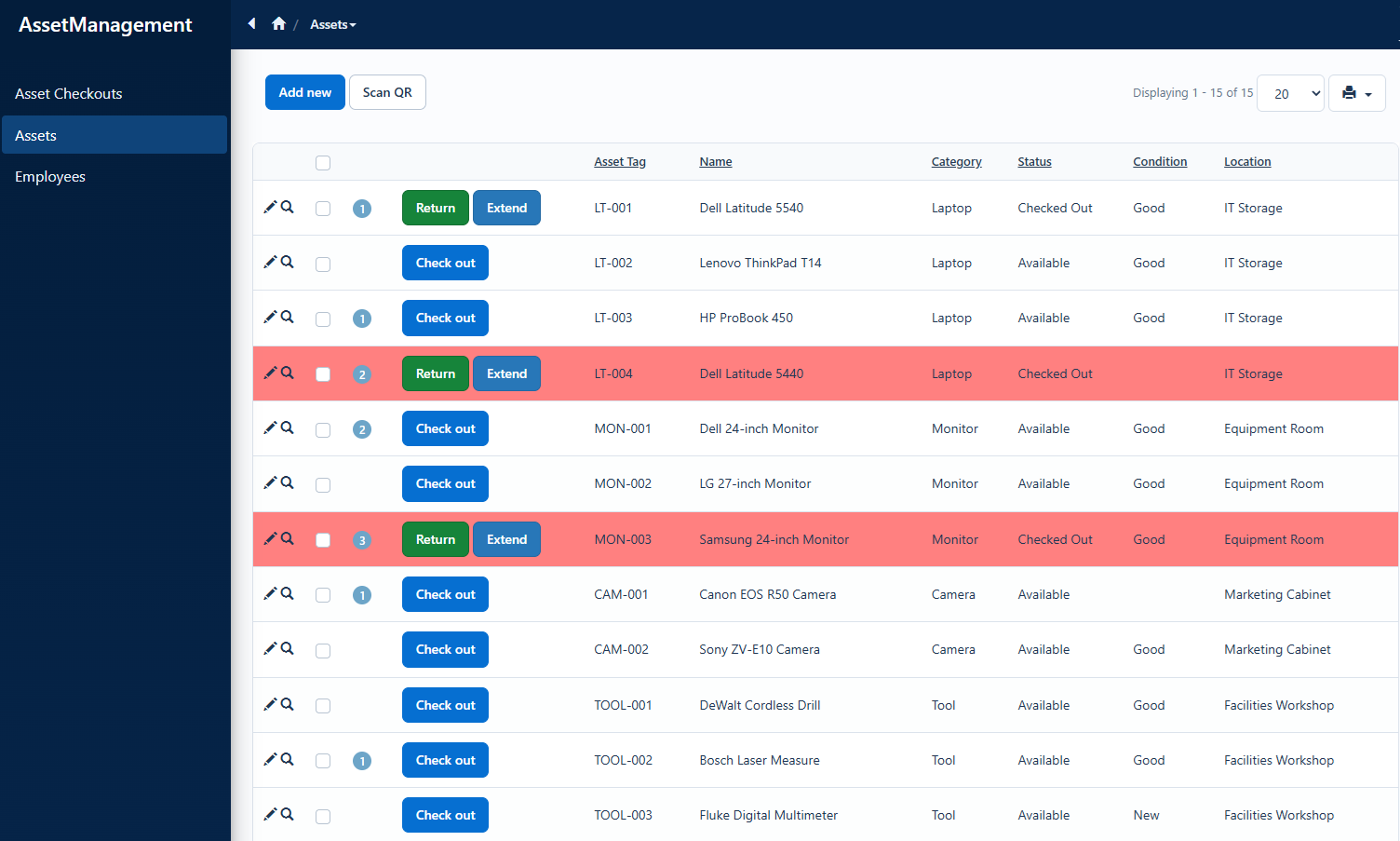
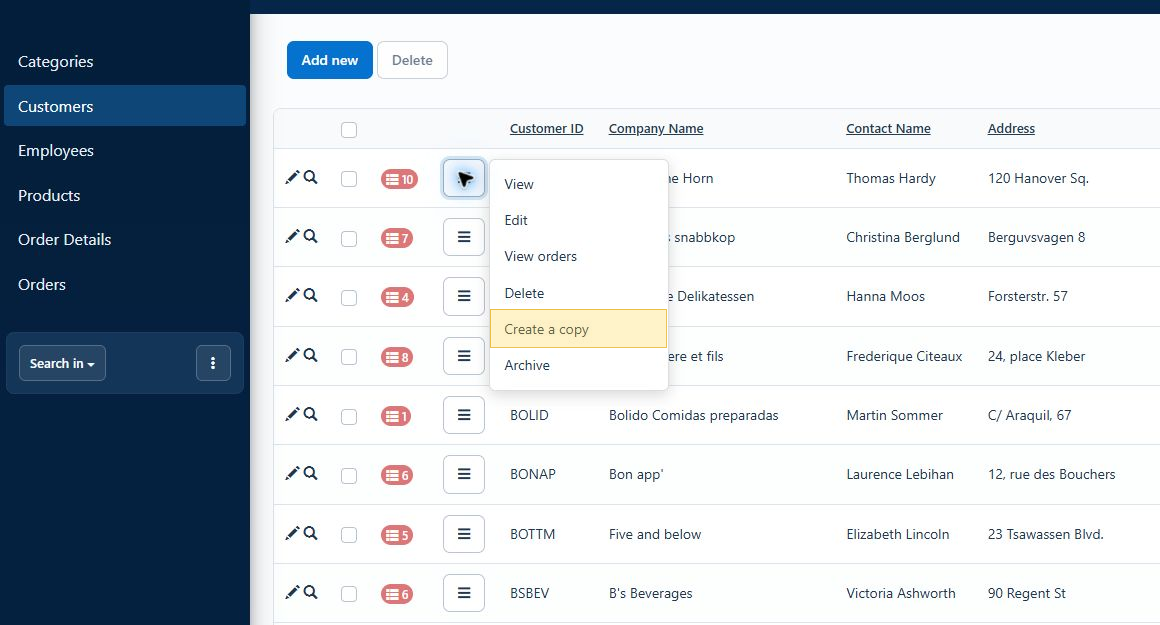
List pages often contain several actions for every record. Displaying each action as a separate button can make the grid unnecessarily wide, especially on smaller screens.

In this tutorial, we will add one menu button to each grid row. The menu will open View, Edit, Copy, and related-record pages, process Delete with confirmation, and include an Archive placeholder for project-specific code. The same approach works in PHPRunner and ASPRunner.NET.

Custom row actions menu on a data grid

Continue Reading "Add a Custom Row Actions Menu to a Data Grid"

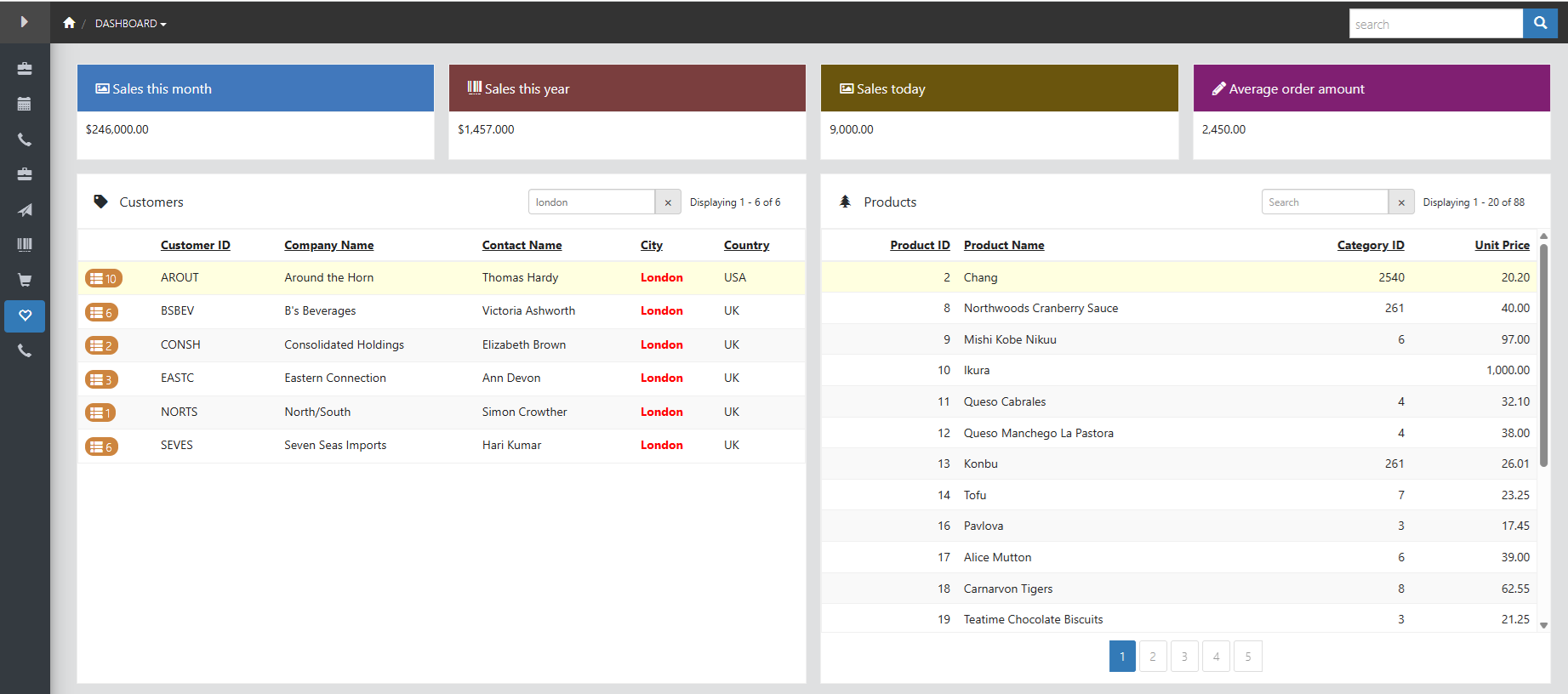
PHPRunner and ASPRunner.NET dashboards can display several grids on one page. In this tutorial, we will add a separate search box to each grid so users can filter Customers, Products, or Employees without affecting the other dashboard elements.

The solution uses one reusable JavaScript function and a small amount of Custom CSS. The same code works in PHPRunner and ASPRunner.NET.

Continue Reading "Add Search Boxes to Individual Dashboard Grids"

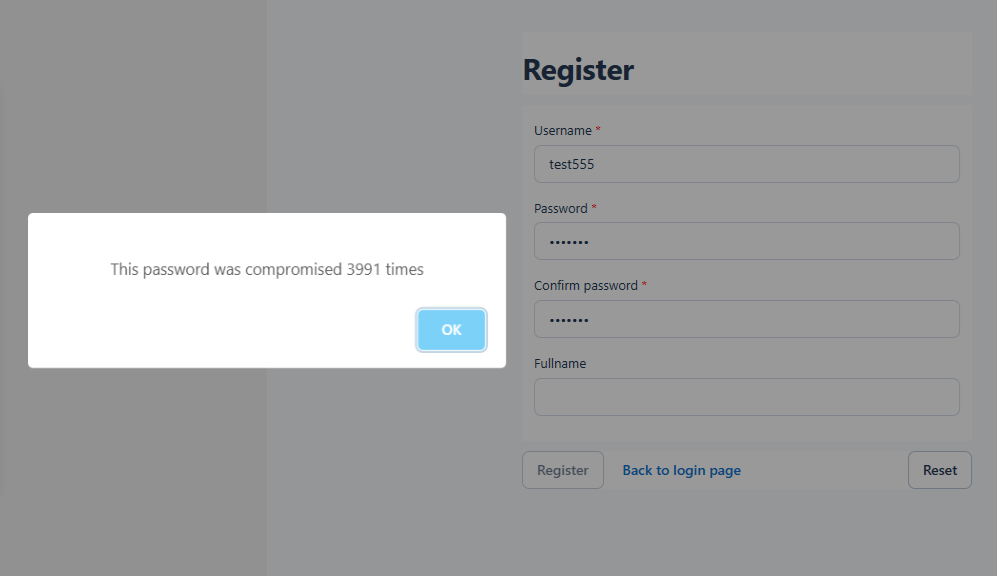
PHPRunner and ASPRunner.NET already provide password policies, encrypted password storage, CAPTCHA, two-factor authentication, and user permissions. In this tutorial, we will add two more checks: reject passwords found in known data breaches and block visitors whose IP addresses have a very high abuse score.

During registration, haveibeenpwned.com checks whether the password has appeared in known data breaches. The password itself is never sent to the service, and this API does not require a key.

Before processing an application page, abuseipdb.com checks whether the visitor’s IP address has been associated with abusive activity. This service requires an API key. Section 6 explains how to create that key. The results are cached locally to reduce the number of external requests.

Continue Reading "Block Compromised Passwords and High-Risk IP Addresses"

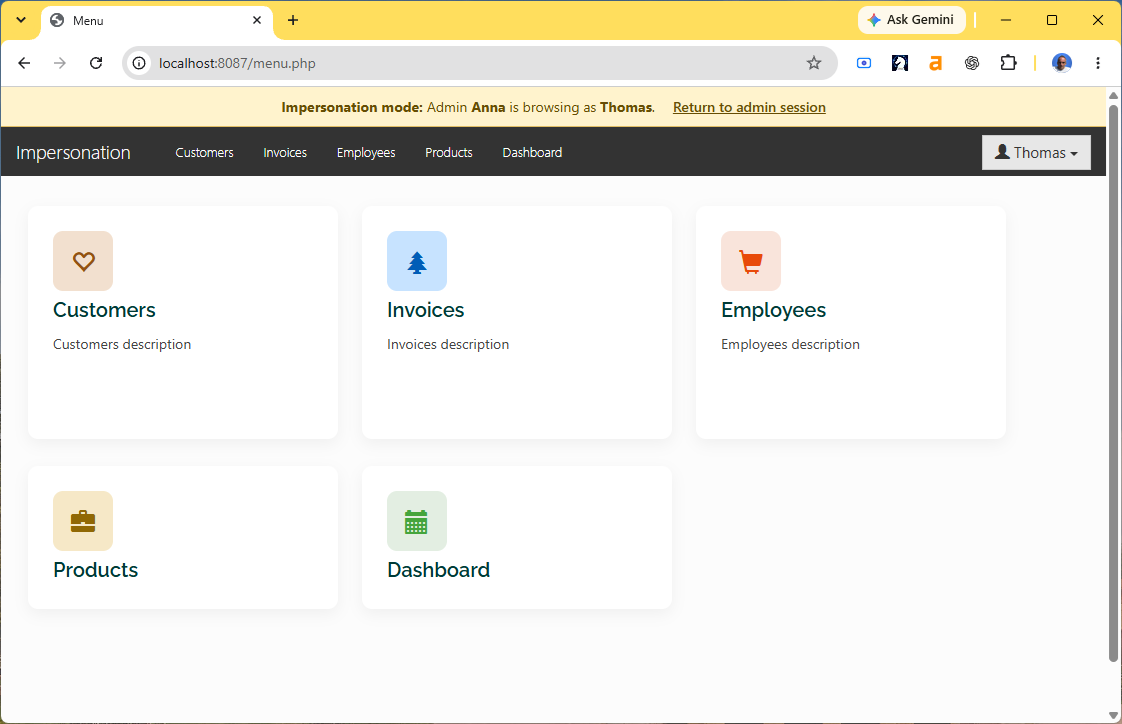
PHPRunner’s Security API lets an administrator switch to another application user without knowing that user’s password. This is useful when an administrator needs to reproduce a problem using the same pages, permissions, and data access as the user.

In this tutorial we will add an impersonation button to the login table, switch accounts with Security::loginAs(), display a warning banner while impersonation is active, and provide a link that restores the original administrator session.

We will cover:

1. Preparing the login table and administrator group
2. Adding an impersonation button to the List page
3. Showing the button only to administrators
4. Switching to the selected user
5. Redirecting after impersonation
6. Adding an impersonation banner
7. Styling the banner
8. Returning to the administrator session

Continue Reading "How to Add User Impersonation to a PHPRunner Application"

Version 11.3 build 44452 introduces new visual theme: Harbor.

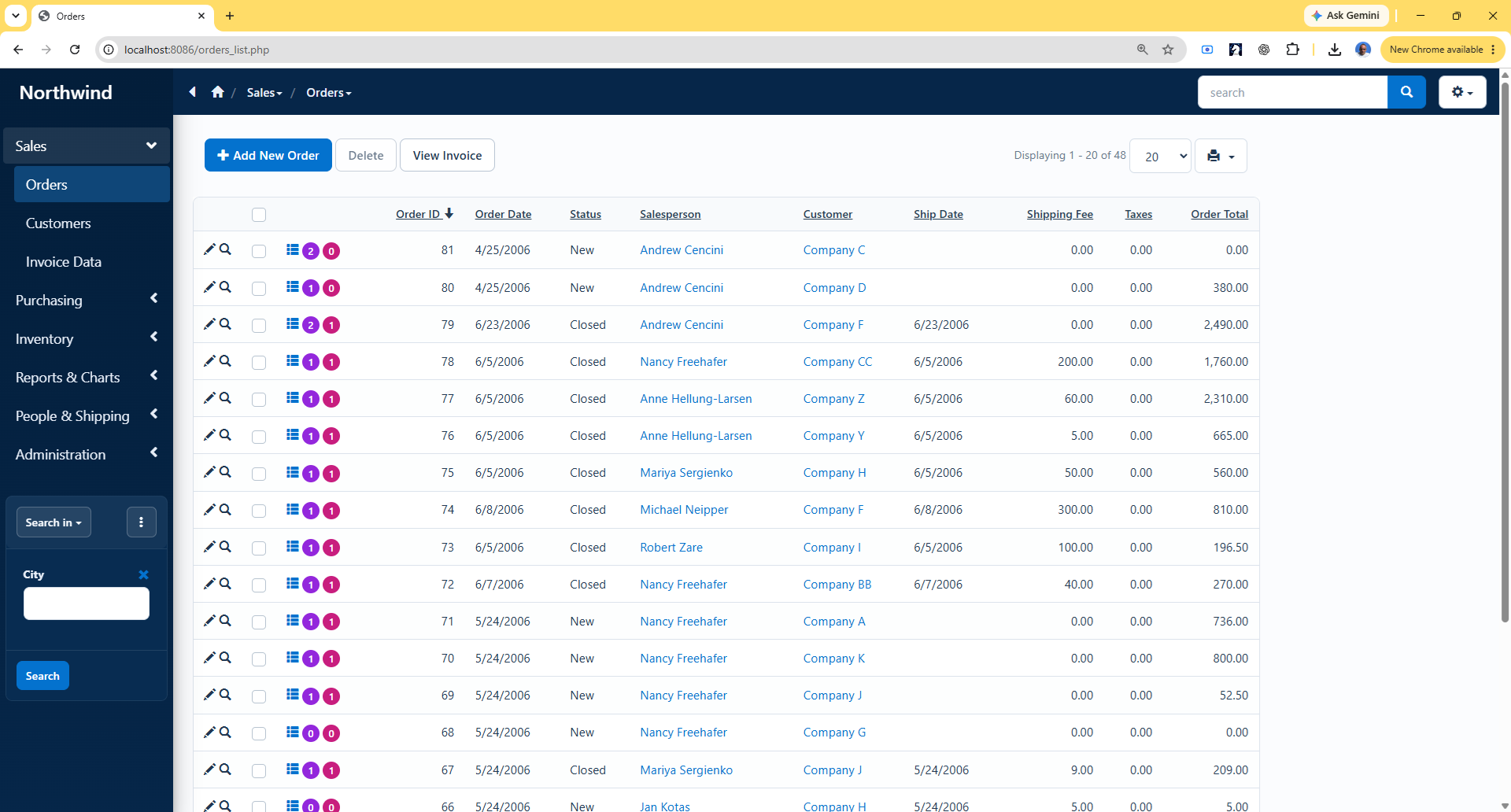
Harbor is a new PHPRunner/ASPRunner.NET theme created for modern, data-driven applications. It combines deep navy navigation, clean white surfaces, subtle borders, and a restrained blue accent. We paid special attention to the areas people use every day: grids are easier to scan, forms have more breathing room, dashboards share a consistent card style, and common actions are easier to recognize. Small touches—like removing vertical grid lines, standardizing panel headings, and adding icons to key buttons help Harbor feel cleaner and more focused while keeping the familiar workflow.

Continue Reading "Introducing Harbor: A Fresh New Theme for PHPRunner/ASPRunner.NET"

The World Cup 2026 Crystal Ball Challenge is over! Thank you to everyone who took part and made the challenge fun and engaging. Congratulations to all participants, and especially to the winners for their outstanding predictions!

In this tutorial we will cover all non-trivial techniques that made this project possible. As you can imagine, the main challenge making this project look sleek and easy to use and I believe we achieved this goal.

See the final leaderboard online

We will talk about:

1. Creating image-based edit controls
2. Grouping team pickers and preventing duplicate selections
3. Enforcing one prediction per user with PHPRunner events
4. Disabling Add and Edit after the submission deadline
5. Enabling Save only after all required answers are selected
6. Calculating scores and rankings with custom SQL
7. Adding rank graphics, progress bars, and current-user highlighting
8. Integrating custom landing, scoring, and thank-you pages
9. A few more visual tweaks
10. How to create your own custom Edit controls easily

Continue Reading "Building a World Cup Prediction Challenge in PHPRunner"

Version 11.3 release is here!

Find trial version download links below. If you are a customer with a valid maintenance, you can download registered version 11.3 via your control panel.

You can watch this video on YouTube that explains how to use new features.

Trial version download links

1. AI features. Help with writing the code ( PHP, C#, Javascript, CSS, SQL ).
More info in the manual
Video on AI features from Corrie

Continue Reading "Version 11.3"

The final version of PHPRunner/ASPRunner.NET 11.2 is here! To download a registered version logon to your control panel account and find download links under ‘My purchases’.

All others can find trial version links below.

Trial version download links

PHPRunner 11.2 for Windows trial
  
ASPRunner.NET 11.2 for Windows trial

PHPRunner 11.2 for Mac trial

PHPRunner 11.2 for Linux (Debian) trial

PHPRunner 11.2 for Linux (RedHat) trial

You can install and run it side by side with versions 10.x and 11.1. Existing software functionality will not be affected. Just make sure you do not launch previous version and v11.2 at the same time if you use a built-in database to store projects.

This new version comes with ten improvements.

1. Cards layout on the List page

Similar to vertical or columns layout but lightweight. No field names, just the data. Fixed width and height. View page of the record can be open by click on the whole card on on one of the fields. Customization: list of fields, layout, fonts, colors, paddings, borders, rounded corners.

Continue Reading "Version 11.2"

Just wanted to share a preview of a couple of new features coming in version 11.2. This update is mostly about UI improvements in the generated web applications and we’ll show you new cards layout and dashboard improvements.

More details on what is new in version 11.2.

1. Cards layout

Cards layout is a compact way to present the information on the List page. Consistent design, all cards look the same, automatically responsive, adjusts to the screen size. No extra information like field names. Previously this required some trickery and now this is a built-in feature. Take a look at this example.

Continue Reading "Version 11.2 – work in progress"