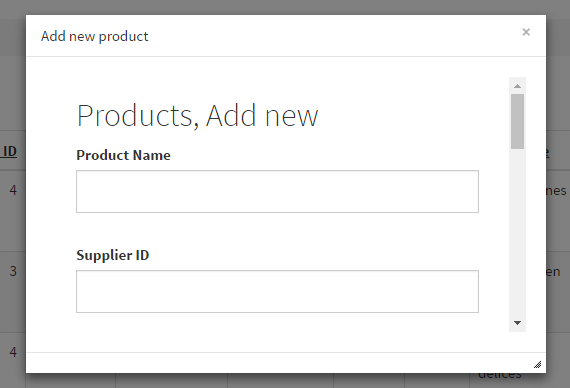
Runner.displayPopup() provides a convenient way to display an application page or custom HTML in a popup window. The examples below cover the core options and common ways to use the function in PHPRunner and ASPRunner.NET.

You can use this JavaScript function in places such as the JavaScript OnLoad event or the ClientBefore event of a custom button.

The simplest example requires only the URL of the page to display. Here is how to open the Add page of the Products table:
Continue Reading "Displaying Popup Windows in PHPRunner and ASPRunner.NET applications" →

PHPRunner and ASPRunner.NET provide visual options for creating and configuring charts. When you need more control over a chart’s appearance or behavior, you can customize the underlying AnyChart object with the ChartModify event.

ChartModify gives you direct access to the chart object before the chart is displayed. This makes it possible to customize titles, labels, colors, scrolling, zoom, axes, value formatting and many other chart properties.

Continue Reading "Customize Charts in PHPRunner" →

Web applications generated by PHPRunner, ASPRunner.NET or ASPRunnerPro communicate with databases via means of SQL queries. Whenever you search, edit or delete data your web application issues a series of SQL queries, gets results back and displays it on the web page. Understanding the basics of SQL will help you build better apps and find errors faster.

Our code generators come will handy option to display all SQL queries application executes. For this purpose you can add the following line of code to AfterApplicationInitialized event:

In PHPRunner

$dDebug = true;
Continue Reading "Troubleshooting SQL queries" →

PHPRunner 9.0, ASPRunnerPro 9.5, ASPRunner.NET 9.0 released (July 22nd, 2016).

Trial version download links

‘Buy now’ pages

PHPRunner

ASPRunner.NET

ASPRunnerPro

Upgrade pages

PHPRunner

ASPRunner.NET

ASPRunnerPro

Important: if you purchased PHPRunner, ASPRunnerPro or ASPRunner.NET before July 1st 2015 you have till September 1st, 2016 to use discounted upgrade option. After September 1st, 2016 you will have to purchase software at the full price. Do not miss your chance to upgrade for less.

Bootstrap templates and themes

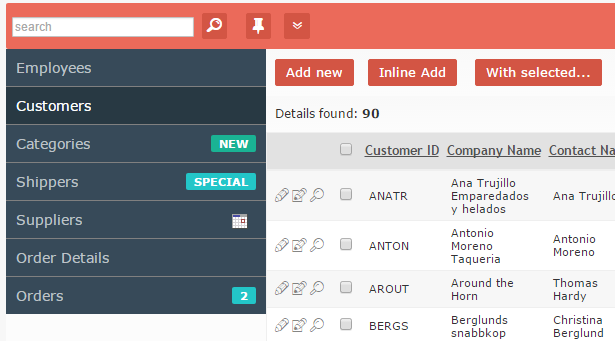
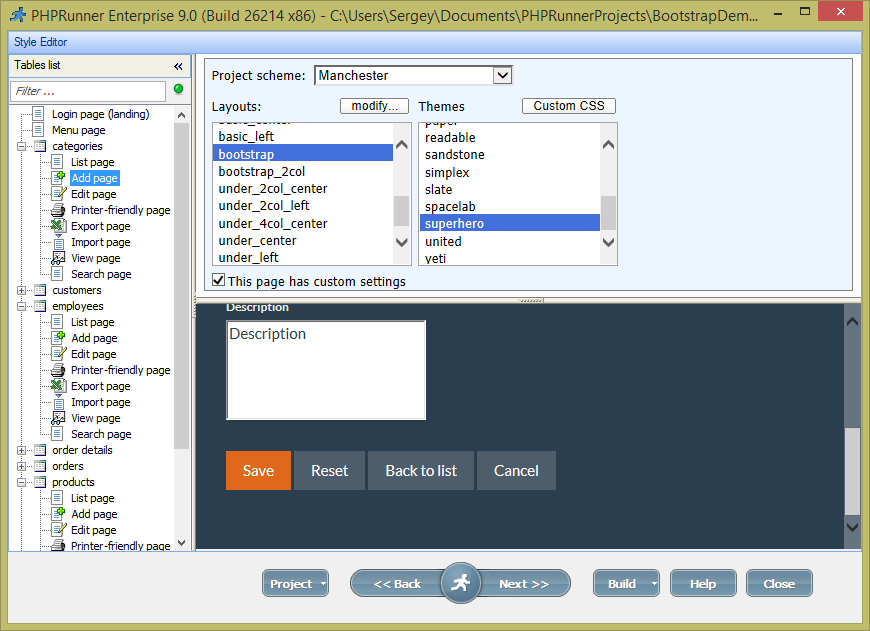
New version comes with 15 Bootstrap themes and you can add your own. Where to find best Bootstrap themes

Continue Reading "PHPRunner 9.0, ASPRunnerPro 9.5, ASPRunner.NET 9.0 released" →

MassMailer template v2 was updated. This is a free upgrade for existing MassMailer template v2 owners. More info.

MassMailer template can be used for more than just sending bulk emails. Lets consider the case where you manage a table with usernames and passwords for your internal company application. For increased security users should change passwords every 60 days. As an administrator you need to perform two standard tasks:

  1. Set reminders to users when their password is about to expire
  2. Mark their account as inactive when password expires

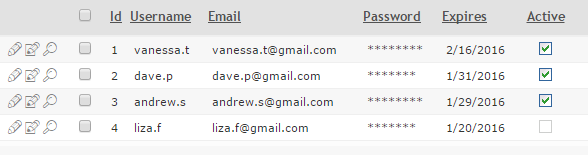
We’ll show how this can be done with the help of MassMailer template. In this example we’ll be using MySQL and here is how our table with logins and passwords looks. Only users where ‘active’ field equals 1 are able to logon.

Continue Reading "MassMailer template use case" →

Note: this code was updated and is compatible with version 10.x of PHPRunner, ASPRunner.NET and ASPRunnerPro.

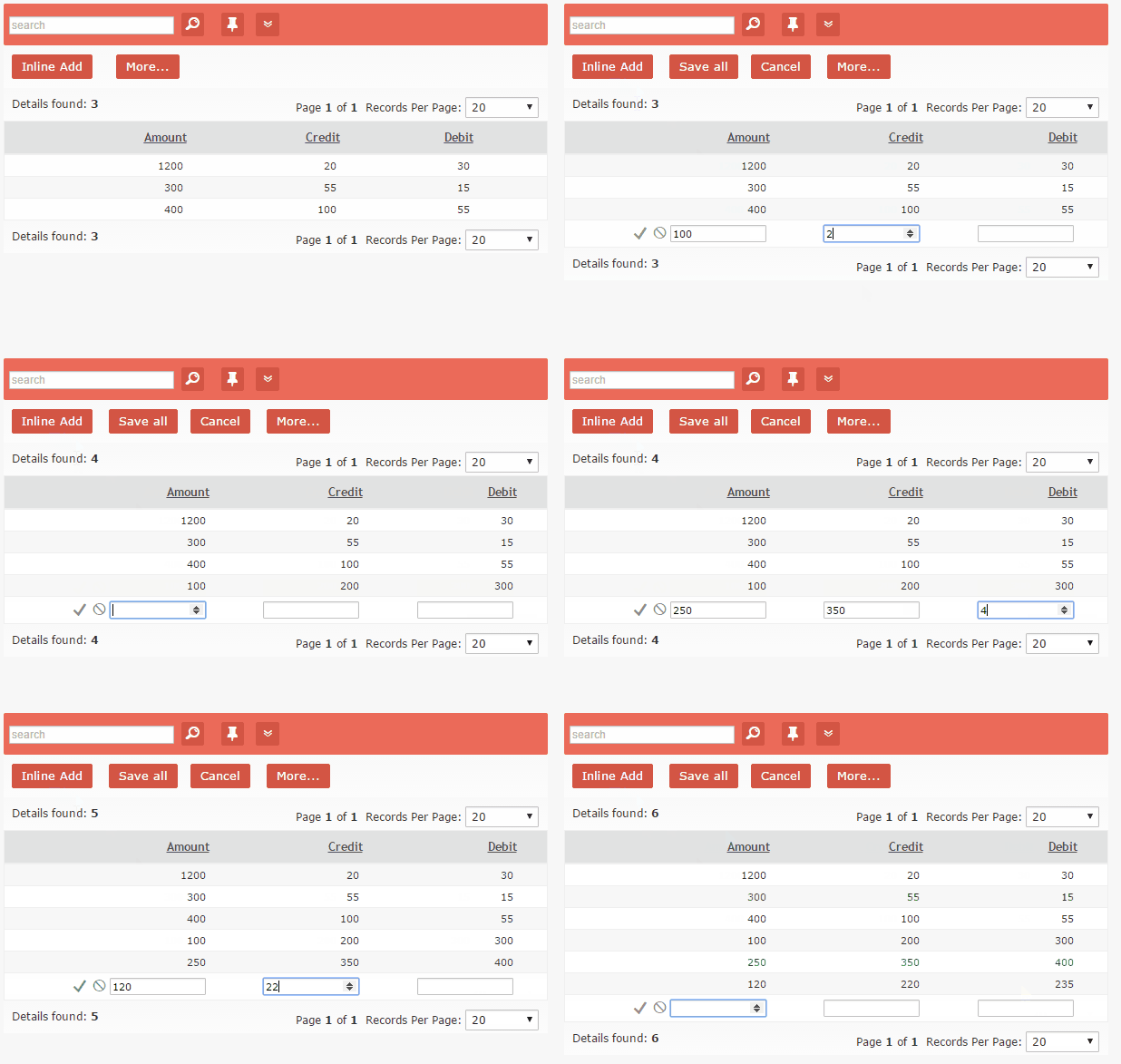
We continue series of posts that show how to make you PHPRunner/ASPRunnerPro/ASPRunner.NET apps behave in Excel-like way. In this article we’ll show how you can speed-up data entry in inline mode eliminating the need to click ‘Inline Add’ and ‘Save’ buttons multiple times.

Continue Reading "Speed-up data entry" →

Technology choices we make can make or break your web application. Here are a few things I’d like to share based on my experience as a web developer. 1. Programming language Not all programming languages created equal. This is especially true when we talk about ASP aka “Classic ASP”. Microsoft stopped developing ASP back in 1999. Once a modern and extensible web programming language it is now a dinosaur trying to compete with spaceships. Every new release of IIS makes configuring ASP more difficult. It…Continue Reading “Technology choices” →

Experienced developers won’t find anything in this article they didn’t know already. All others will find it quite useful. We’ll show a few different ways of how you can quickly test the mobile version of your application.

This article applies to PHPRunner, ASPRunnerPro and ASPRunner.NET with Mobile template option enabled.

1. Using your web browser

All modern browsers have an option to show any page the way it will appear on mobile device. In this article will show you how to do this using Chrome web browser.

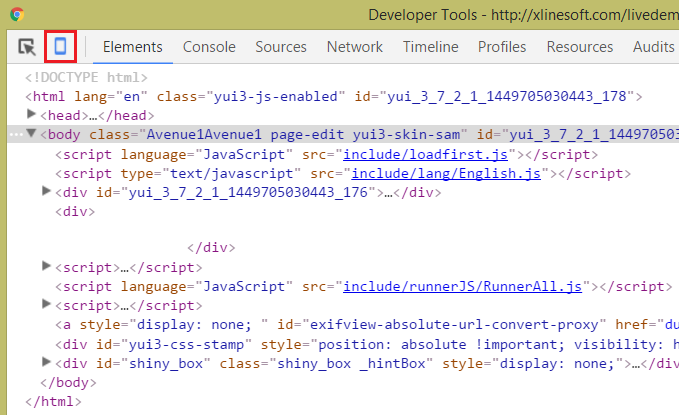
1.1 Hit F12 to open Chrome Developers Tools. Click Mobile device icon in Chrome Developer tools.

Continue Reading "Testing web apps in mobile mode" →