This article explains the inner workings of Survey template.

Before we start I encourage you to check Survey template live demo. Register, then login and add a new Survey. Add questions, answers and answer options where necessary. Once done with setup activate the survey. Now you can take survey, view responses etc.

Purchase Survey template for $50

Application setup

Once you create a project using Survey template you can simply build your project and start using it. Security model is simple. There is one user by default (admin/admin) with full access to all data. There is also Guest account enabled with access to Response view Add page so guest users are able to take surveys without logging in.

There is also Registration page enabled. Users can register and create their own surveys. This option is mostly for demo purposes and you may want to turn it off.

Managing surveys

Once you are logged in create a new survey and add questions. Questions are grouped into groups. If you don’t need grouping simply add all question to default group (Group 1).

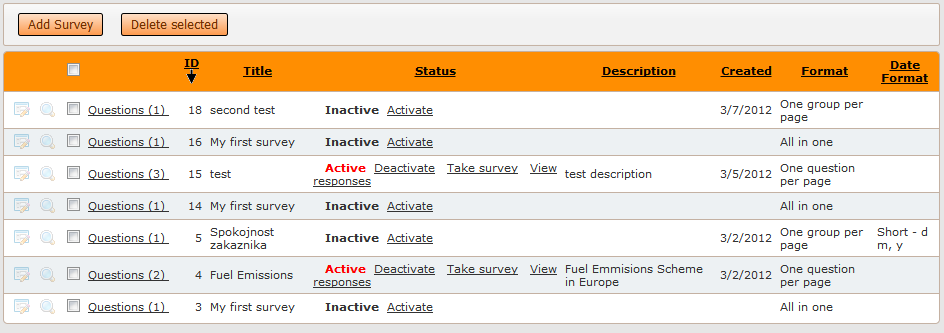
List of surveys is your start screen. You can add or delete surveys here, make them active or inactive, take surveys and view responses.

Continue Reading "Survey template"

Many developers have the need to work collaboratively on the same ASPRunnerPro or PHPRunner project. In this tutorial I’ll show how to make this happen with almost no effort. We are going to utilize the power of version control system (VCS). Version or revision control systems track and provide control over the changes to the source code. The most popular VCS systems nowadays are Subversion, Git, Mercurial and Bazaar. We plan to use Subversion (SVN) which is easy to get started with. I’ll cover the…Continue Reading “Best practices: multiple developers working on the same project”

In this article we will cover all the aspects of creating multilingual websites with the help of PHPRunner. This process includes the following steps: Translation of system messages Translation of table/field names and custom labels Translation of data from the database Translation of system messages First of all, you need to define the language(s) of standard texts in the website interface or “system messages”. On the Miscellaneous page you can choose one or more languages which your website will support. Use the Language drop-down box…Continue Reading “Localizing PHPRunner/ASPRunnerPro applications”

PHPRunner gives you several ways to add custom logic to a generated application. The most common are events, custom buttons, View as: Custom and code snippets. They can sometimes solve the same problem, but each one is best suited to a different kind of task. The easiest way to choose is to ask three questions: What should trigger the code? Does the code run on the server, in the browser, or both? Is the change tied to a specific page action, or is it simply…Continue Reading “PHPRunner Events, Buttons and Code Snippets: When to Use Each”

A special thank you to Fred Blau who provided the original jsgantt integration sample.

A Gantt chart is a type of bar chart that illustrates a project schedule. Gantt charts illustrate the start and finish dates of the tasks that belong to this project. Some Gantt charts also show the dependency relationships between activities (tasks). Gantt charts can be used to show current schedule status using percent-complete shadings and a vertical “TODAY” line.

Sample GANTT chart in PHPRunner

Continue Reading "Adding GANTT chart to PHPRunner/ASPRunnerPro app"

My application is slow. What do I do?

Usually “My application is slow” means one or more list pages take a long time to load. Here are the things you can check in order to improve performance.

Is this issue server specific?

Test your application on at least two different servers i.e. on your local machine and on the remote web server. If you do not have a local web server upload your application to Demo Account to compare the performance.

Just in case test your remote application from two different machines i.e. from work and from home. This will sort out any issues related to Internet connectivity.

Continue Reading "Improving perfomance of PHPRunner/ASPRunnerPro applications"

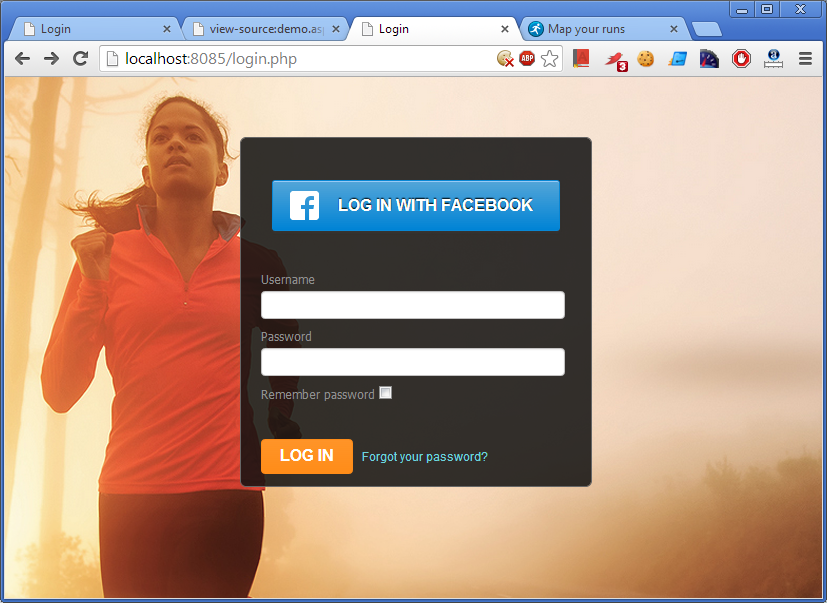
In this tutorial we are going to use Facebook Javascript SDK. Here is how you can add Facebook Connect functionality to your PHPRunner application. 1. Register your website to get an app id. http://developers.facebook.com/setup/ Later you can see your application settings at http://www.facebook.com/developers/apps.php 2. Add ‘Login with Facebook’ button to your application The natural place to add this button is a login page. Open login page in Visual Editor. Make sure ‘Show borders’ option is turned on. Insert a new table row below ‘Remember password’….Continue Reading “Adding Facebook Connect functionality to your application”