When a PHPRunner application feels slow, the first step is to identify where the time is actually being spent. A slow List page can be caused by the database query, custom server-side code, the amount of data rendered on the page, large lookup controls, network latency or the web server itself.

The most effective approach is to isolate the bottleneck first and optimize only the part that is actually slow.

Continue Reading "Improving PHPRunner Application Performance"

In this tutorial we are going to use Facebook Javascript SDK. Here is how you can add Facebook Connect functionality to your PHPRunner application. 1. Register your website to get an app id. http://developers.facebook.com/setup/ Later you can see your application settings at http://www.facebook.com/developers/apps.php 2. Add ‘Login with Facebook’ button to your application The natural place to add this button is a login page. Open login page in Visual Editor. Make sure ‘Show borders’ option is turned on. Insert a new table row below ‘Remember password’….Continue Reading “Adding Facebook Connect functionality to your application”

This tutorial shows how to use conditional formatting in PHPRunner/ASPRunnerPro projects.

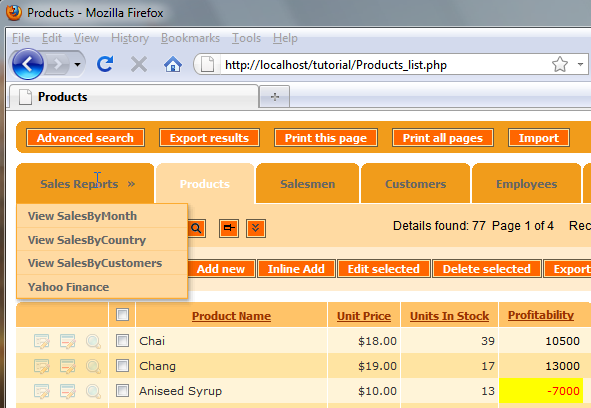
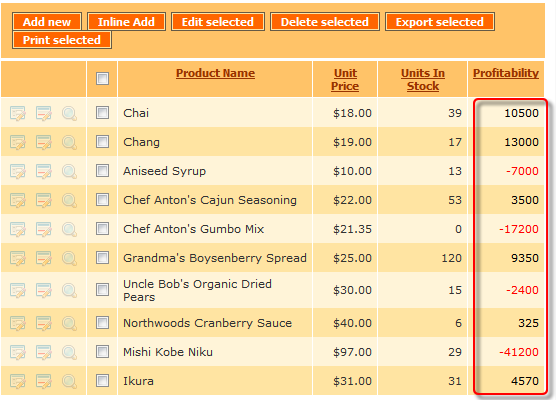
Our first example illustrates the profitability of the product line where we have a list of products with their respective monthly profit figures. All positive numbers are displayed in black and all negative in red. Changing the font color of this field based on its value helps the viewer immediately spot the losing products and take necessary actions.

Continue Reading "Tutorial: Conditional formatting"