Fairly often we want to split long forms into several steps letting users fill a few fields on each step. Besides making a long form easier to fill out for your users you can also save partial results between pages.

Here is how this can be done in PHPRunner, ASPRunnerPro and ASPRunner.NET.

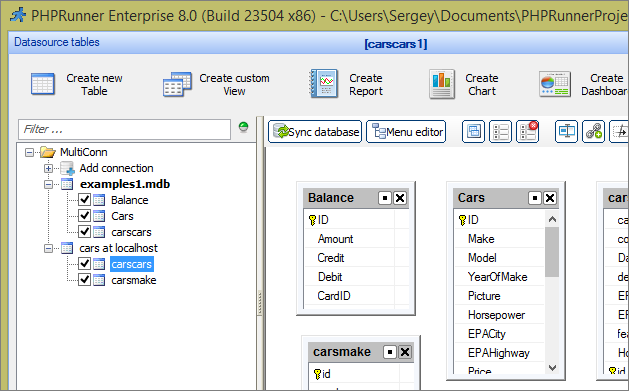
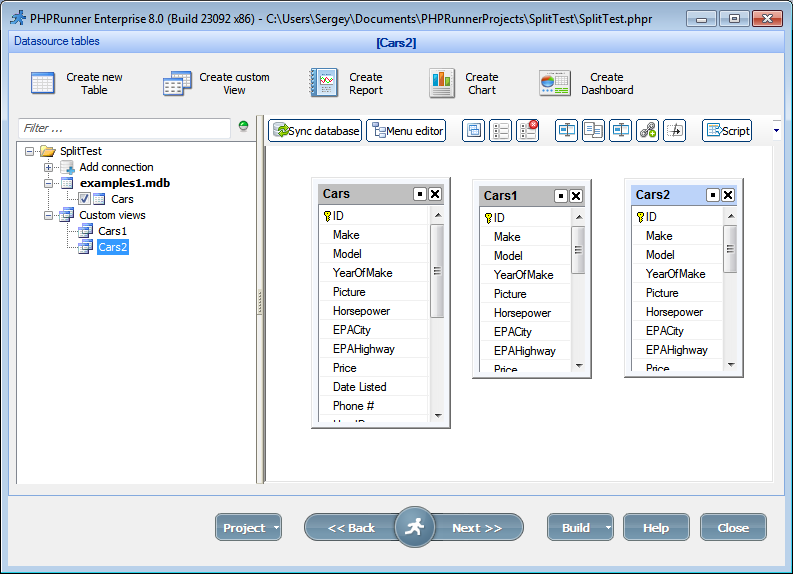
Lets assume we have Cars table with about 20 fields and we want to split Add/Edit pages into three steps.

1. Create two custom views

Create two custom views (Cars1 and Cars2) based on Cars table

Continue Reading "How to split Add/Edit pages into several subpages"

Most popular websites like Facebook, Twitter, Dropbox, LinkedIn etc provide an API that allows to retrieve or post data programmatically. API examples come in many programming languages and PHP is usually one of them. In this article we’ll show how easy is to add API calls to your PHPRunner project.

Lets start by adding Twitter posting functionality. We’ll be using a lightweight twitter-php library for this purpose. Similar libraries exist for other languages as well.

1. Setup a developer account with Twitter.

A quote from twitter-php usage page:

Sign in to the http://twitter.com and register an application from the http://dev.twitter.com/apps page. Remember to never reveal your consumer secrets. Click on My Access Token link from the sidebar and retrieve your own access token. Now you have consumer key, consumer secret, access token and access token secret.

Continue Reading "Using third party API in PHPRunner apps. Playing with Twitter."

Date/time calculations can be perform either on database side or in your server side language (PHP, ASP, C#) or even in Javascript. We’ll try to cover all those scenarios.

When copying and pasting code from this article to your application replace table name (mytable) and field names (posted, dob).

MySQL

Calculating age

SELECT DATE_FORMAT(NOW(), '%Y') - DATE_FORMAT(dob, '%Y') - 
(DATE_FORMAT(NOW(), '00-%m-%d') < DATE_FORMAT(dob, '00-%m-%d')) 
from mytable AS age

30 days before date

select posted, DATE_SUB(posted, INTERVAL 30 DAY) from mytable

Date plus 30 days

select posted, DATE_ADD(posted, INTERVAL 30 DAY) from mytable

Difference between two dates in days

select posted, DATEDIFF(now(), posted) from mytable
Continue Reading "Date/time handling in web applications"

Happy Halloween everyone! Just a little Halloween fun project. To make your website more interesting you can choose to display a random background image for each visitor. Here is how it’s going to look: How to add this functionality to your project. 1. Download a set of sample images and unzip it to the output folder keeping directory structure. This should create a folder named backgrounds with a few images in there. You are free to add more images or to remove any you don’t…Continue Reading “Random page background: Halloween edition”

Data validation is very important in web applications. You do not want your users to enter incorrect data. Our web application builders can help you with this.

In this article we cover different validation type starting with built-in validation and making it all the way through to advanced AJAX-based validation.

Client-side validation

Client side validation (Javascript based) provides instant feedback to the user making it a good usability choice.

Built-in validation types

This validation will work if you need to make sure that all required fields are populated or validate a relatively simple data format like US Social Security Number.

Continue Reading "Validation in PHPRunner and ASPRunnerPro applications"

Custom Edit controls let you replace a standard field input with a specialized control while keeping it integrated with PHPRunner Add and Edit pages.

This article explains the underlying plugin structure using ColorPicker and SignaturePad as practical examples. It covers the PHP and JavaScript parts of a control, adding CSS and other assets, passing settings, validation and installing the finished plugin in PHPRunner.

Looking for a faster way to create a new control? You can also use the PHPRunner custom Edit controls skill with ChatGPT to generate the PHP, JavaScript, CSS and supporting files for a new control. See Building a World Cup Prediction Challenge in PHPRunner, especially the section about creating custom Edit controls with ChatGPT.

Continue Reading "Create a Custom Edit Control Plugin in PHPRunner"

In this article we will be focusing on debugging and troubleshooting the JavaScript errors. We will look at few examples to illustrate the methods used. For this purpose we will be using developers tools that come with Chrome browser. If you use Firefox – download and install the Firebug. Firebug is an extension to Mozilla Firefox web browser which allows us to monitor and debug the JavaScript in any web page. var ctrlPrice = Runner.getControl(pageid, ‘Price’); var ctrlQuantity = Runner.getControl(pageid, ‘Quantity’); var ctrlTotals = Runner.getControl(pageid,…Continue Reading “How to troubleshoot Javascript errors”