These CSS snippets are designed to be pasted to Custom CSS section on Style Editor in PHPRunner/ASPRunnerPro.

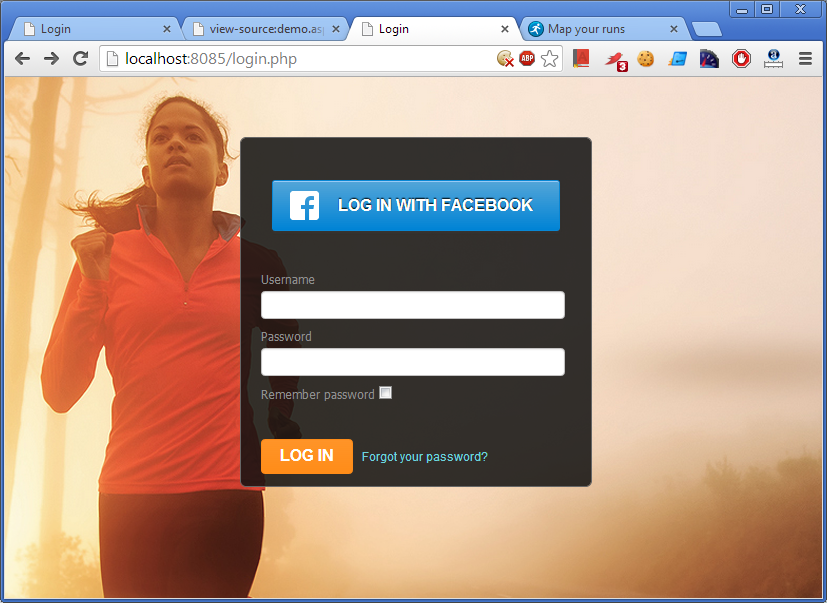
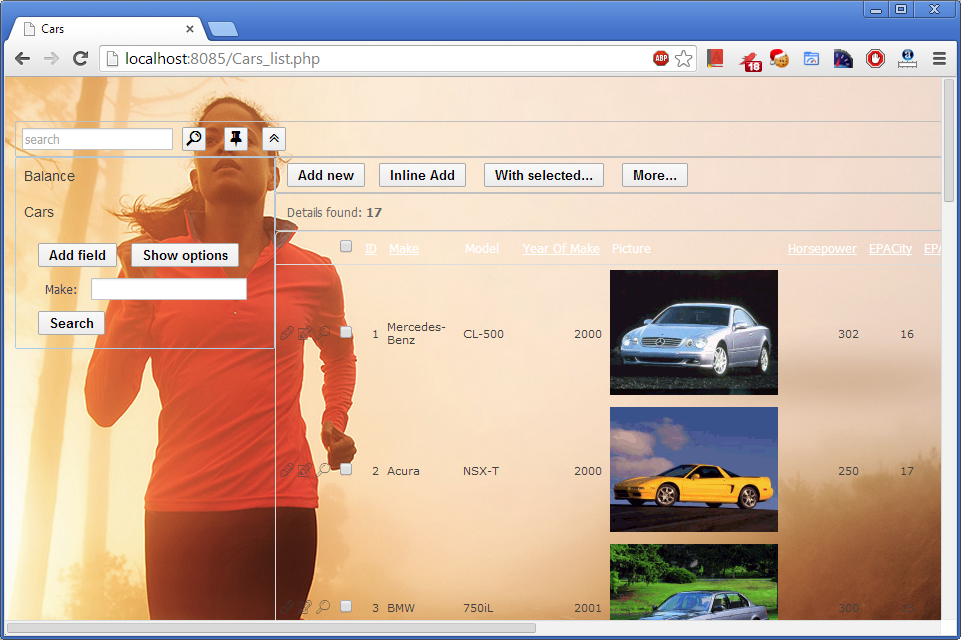
Making page background fully transparent

.function-list .rnr-c > *,
.function-list .rnr-s-undermenu > *,
.function-list .rnr-b-vmenu > *,
.function-list .rnr-s-2 > *,
.function-list .rnr-row > *,
.function-list .rnr-toprow > *
{
background-color : transparent !important;
background : transparent !important;
}

Sample screenshot:
Continue Reading "More custom CSS tricks" →

Data validation helps prevent incomplete, incorrectly formatted or otherwise invalid data from being saved. PHPRunner provides several ways to validate user input, from built-in field rules to custom JavaScript and server-side validation.

The right approach depends on what you need to check. Simple requirements such as mandatory fields can usually be handled with built-in validation. More complex business rules may require custom code.

A useful rule is to distinguish between user experience and data integrity. Client-side validation gives users immediate feedback, but important rules should also be enforced on the server before data is saved.

Continue Reading "Data Validation in PHPRunner: Client-Side and Server-Side Options" →

Custom Edit controls let you replace a standard field input with a specialized control while keeping it integrated with PHPRunner Add and Edit pages.

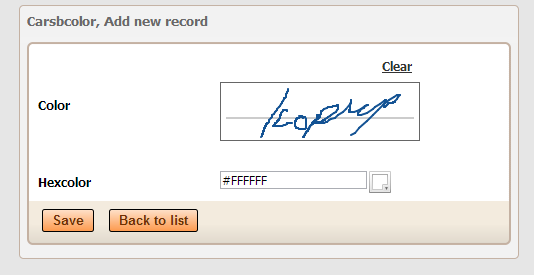
This article explains the underlying plugin structure using ColorPicker and SignaturePad as practical examples. It covers the PHP and JavaScript parts of a control, adding CSS and other assets, passing settings, validation and installing the finished plugin in PHPRunner.

Looking for a faster way to create a new control? You can also use the PHPRunner custom Edit controls skill with ChatGPT to generate the PHP, JavaScript, CSS and supporting files for a new control. See Building a World Cup Prediction Challenge in PHPRunner, especially the section about creating custom Edit controls with ChatGPT.

Continue Reading "Create a Custom Edit Control Plugin in PHPRunner" →

We plan to release a beta version of new PHPRunner and ASPRunnerPro in August-September 2012. Here are some of new features you can expect in this update.

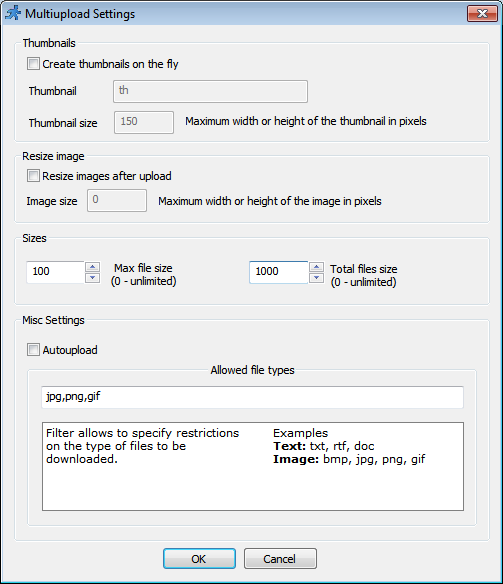
New file/image upload control

  • select and upload multiple files at once. You only need one database field to store all file names.
  • customizable list of allowed file extensions
  • max number of files
  • file size restriction (for each file individually and total upload size)
  • customizable path to upload folder. May contain PHP variables. No need to write events code if you want to save each user’ files to separate folder. Sample upload path: $_SESSION[“ProjectID”].”/”.$_SESSION[“UserID”]
  • Drag-n-drop upload – drag files from your desktop right to web page

Upload settings:

Continue Reading "Preview of new features in PHPRunner 6.2 and ASPRunnerPro 7.2" →

In this article we will be focusing on debugging and troubleshooting the JavaScript errors. We will look at few examples to illustrate the methods used. For this purpose we will be using developers tools that come with Chrome browser. If you use Firefox – download and install the Firebug. Firebug is an extension to Mozilla Firefox web browser which allows us to monitor and debug the JavaScript in any web page. var ctrlPrice = Runner.getControl(pageid, ‘Price’); var ctrlQuantity = Runner.getControl(pageid, ‘Quantity’); var ctrlTotals = Runner.getControl(pageid,…Continue Reading “How to troubleshoot Javascript errors” →

In this tutorial we’ll find out how to troubleshoot chart errors in our applications. PHPRunner and ASPRunnerPro applications use Flash-based charting component that receives data in XML format. If any error happens while generating XML input you will see the following message instead of chart: XML Parser failure: The element type must be terminated by the matching end-tag. Lets go a bit deeper. Right anywhere on the page (except on chart itself) and choose ‘View source’. In HTML source search for the first occurrence of…Continue Reading “Troubleshooting charts in PHPRunner and ASPRunnerPro applications” →

Lets says you have a database of cars. You have added a button to the List page that should update selected cars statuses as ‘Sold’. Your code looks good and passes syntax check still doesn’t work when you run your application. The worst of all – it doesn’t produce any visible errors. In this article I’ll show you how to catch errors like this one. We are going to need either Chrome or Firefox with Firebug addon installed. Our screenshots are taken in Chrome. Open…Continue Reading “Troubleshooting custom buttons in PHPRunner and ASPRunnerPro applications” →