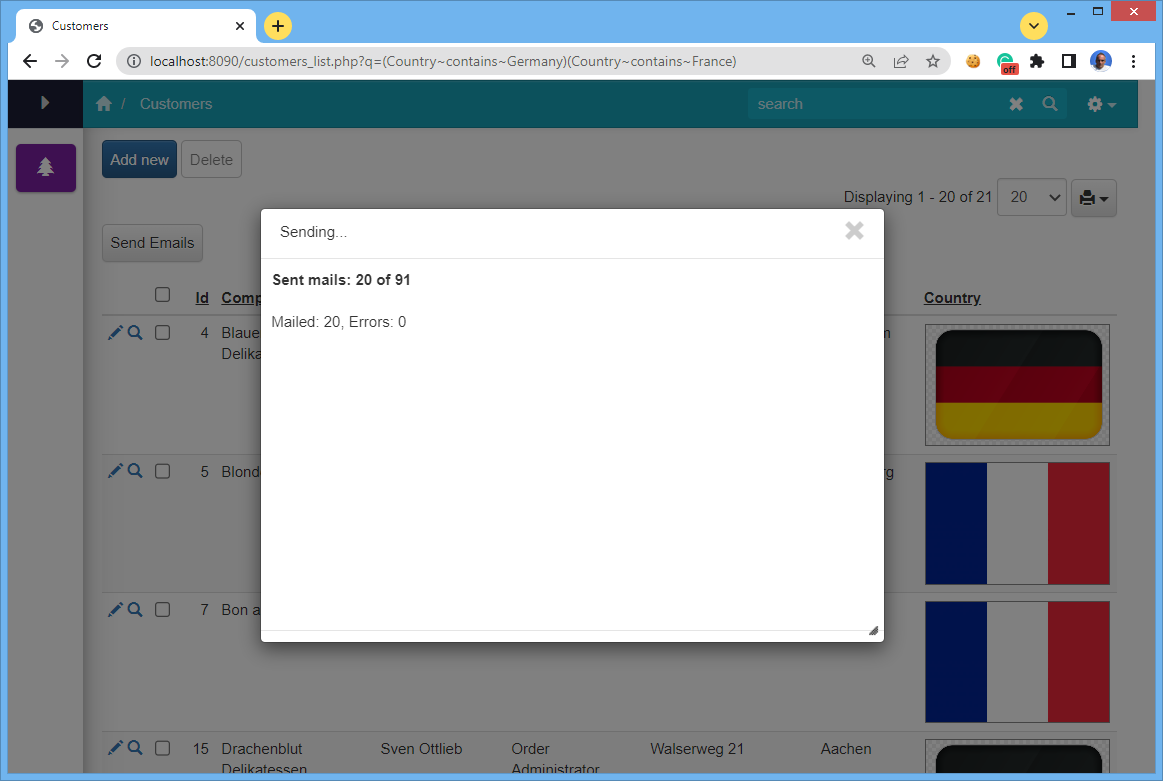
In a web application, some long running tasks may time out and not finish. To avoid this kind of limitation we will show you how to run such tasks reliably and, at the same time provide progress status to the end user so they know the task is still running. In this article we’ll show you how to achieve this in PHPRunner and ASPRunner.NET.

A common task like this is batch sending email notifications. The key is to initiate a process like this from JavaScript sending the next batch of tasks to the server via AJAX.

Continue Reading "Long running process with notifications"

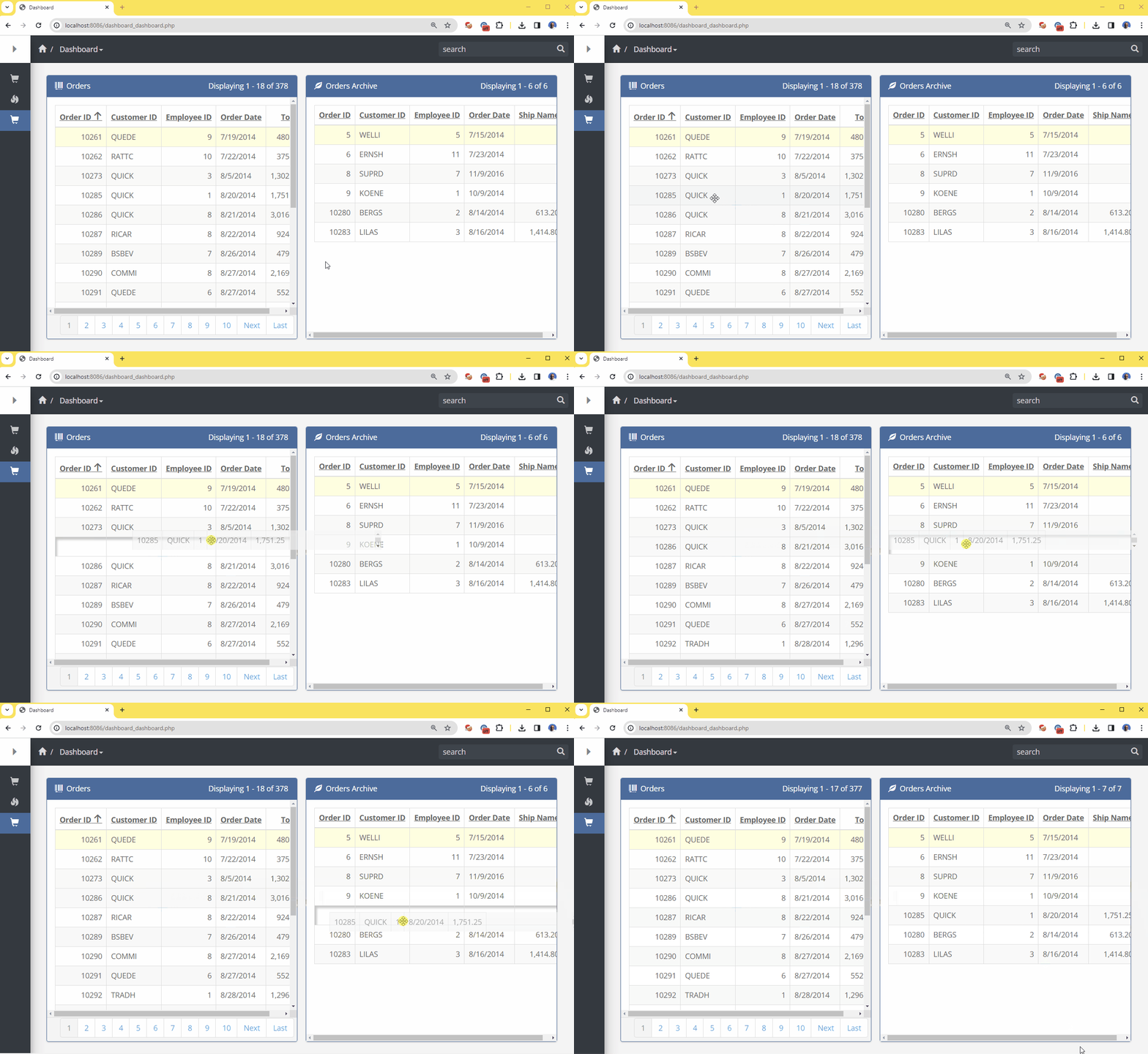
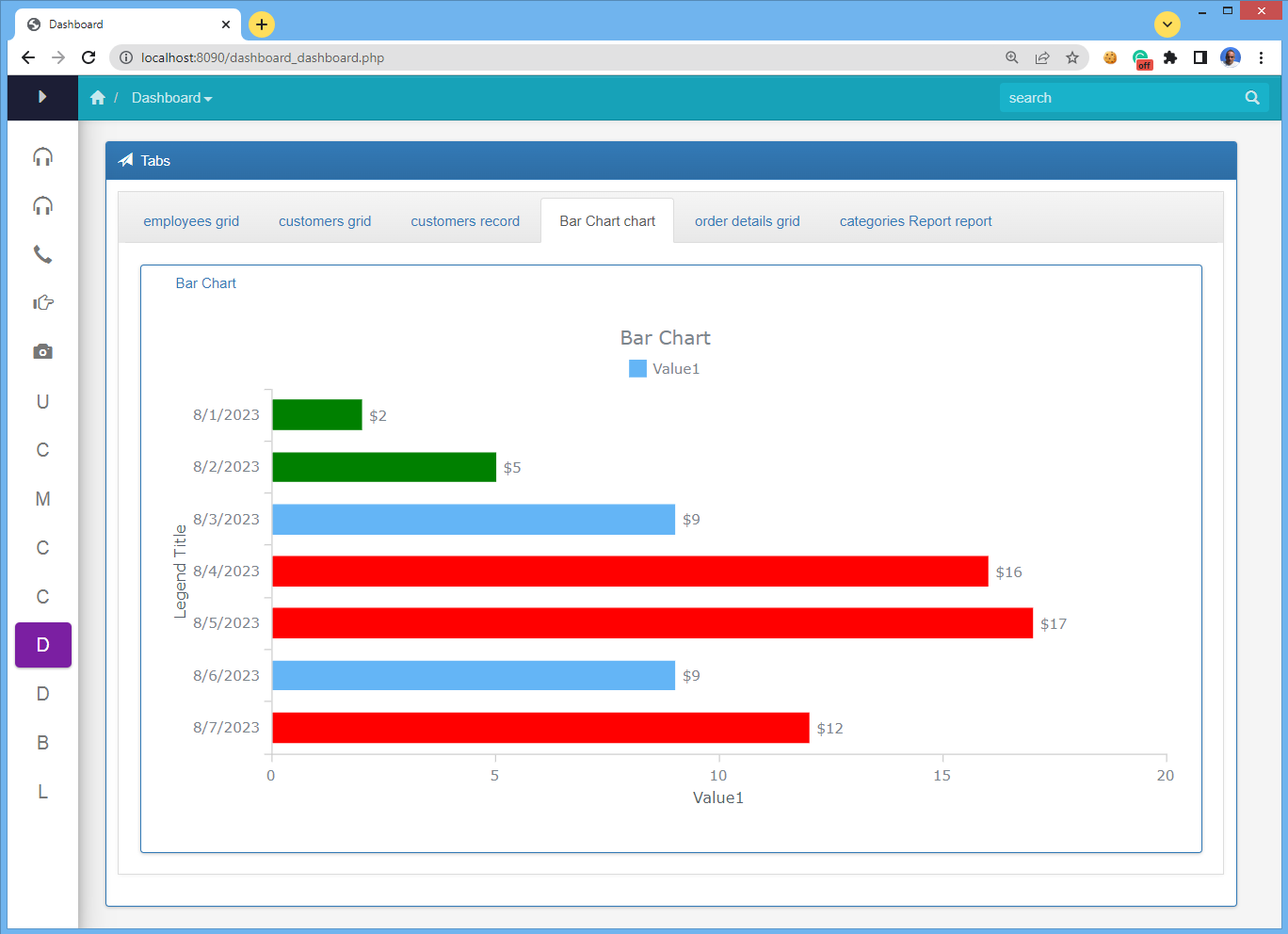
Dashboards excel at showcasing a multitude of valuable information on a single page. However, there are instances when a basic dashboard layout falls short in accommodating the desired volume of data on a single screen. In this article, we will demonstrate a method for amplifying information presentation through the use of a tabbed component. It’s important to note that this is not a built-in and we will need to write a bit of code.

Here is what we after:

Continue Reading "Tabbed elements in dashboards"

The wait is over! PHPRunner 11 and ASPRunner.NET 11 are here.

If you purchased either product less than a year ago, you can download updated versions from the control panel. Click ‘Reg info’ link next to your latest PHPRunner or ASPRunner.NET purchase and you will find version 11 info there. You can also uninstall version 11 preview as it is no longer required.

You can see Version 11 most frequently asked questions answered here.

You can install and run it side by side with PHPRunner 10.x and older versions. Existing software functionality will not be affected.

Benefits

  • Much faster UI
  • Much faster work with large ( 1000+ tables ) projects
  • Multi-developer support!
  • Revisions and roll-backs
  • Later: Mac/Linux versions
Continue Reading "Version 11"

As many of you know, we recently launched a side project named PicTur. This is a website, built with the help of PHPRunner, that allows users build beautiful travel stories. Instead of letting you pictures collect dust you can create a travel story and share with the world. Take a look open an account and maybe create a story or two.

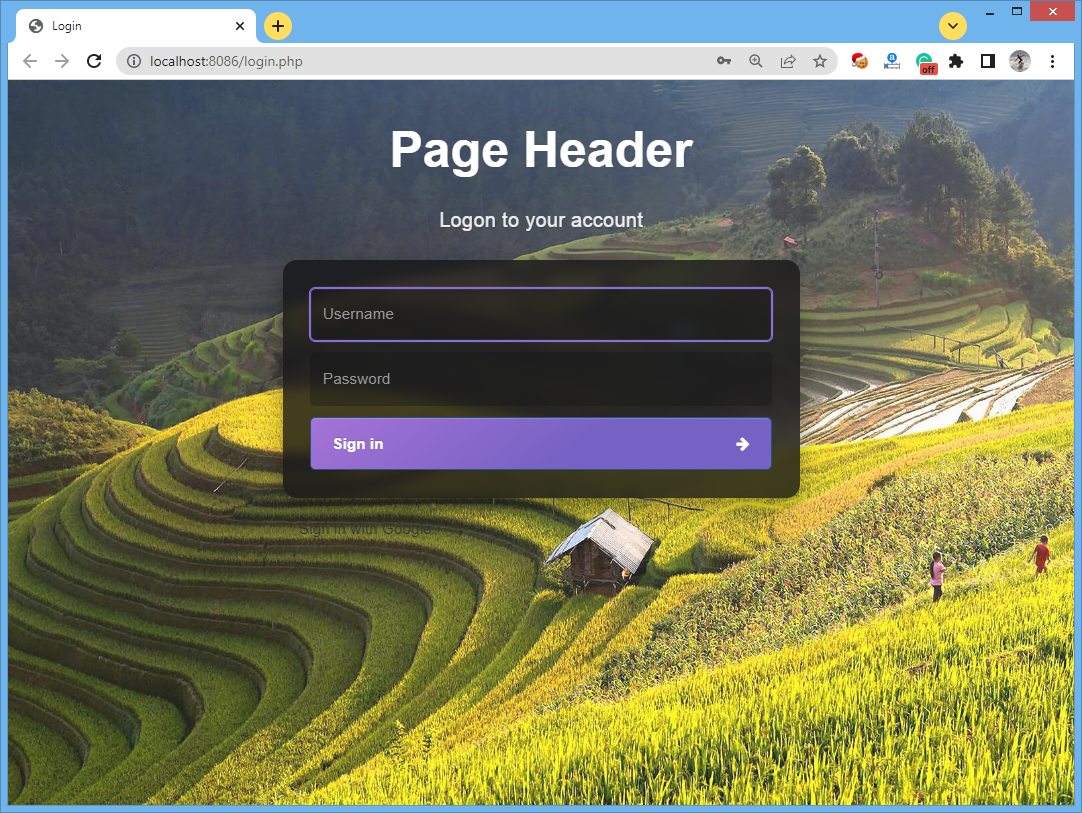
This website was built with the help of PHPRunner and was heavily customized. We will post series of articles talking about the most interesting parts of this project. Let us start by showing how pages like login, register and remind password were prettified. First, we found a good login template at Carrd, customized it a bit and imported CSS into PHPRunner.

This is the end result:

PicTur..app login page

Continue Reading "Yet another custom login page"

PHPRunner and ASPRunner.NET 10.9 are here!

Trial version download links

If you purchased PHPRunner or ASPRunner.NET less than 12 months ago, proceed to the control panel and download the registered version 10.8 there under ‘My purchases’. Use ‘Reg info’ link next to your latest purchase.

This new version features the following improvements:

Excel-like filters in field headers on List page

Continue Reading "Version 10.9"

Our website xlinesoft.com was down from May 24, 2019 to May 30, 2019.

First, I noticed that I cannot logon to our online helpdesk. Then the website itself started showing ads that we never had. We assumed that our server was hacked but it turned out it simply points to a different IP address now. Hacker downloaded a static copy of our website, added some ads and tried to make some money via AdSense.

I tried to logon to GoDaddy account and check DNS settings. The login didn’t work and the password reset email never arrived. Our account at GoDaddy was hacked and attackers сhanged domain name ownership data. I was relieved though, dealing with GoDaddy should be easier than negotiating with a hacker, right?

Continue Reading "How I (almost) lost my domain name and how Bitcoin saved the day"

This tutorial shows how to generate PDF files on the server with Node.js and PDFMake and call the PDF generator from a PHPRunner application. We use the same general approach for documents such as invoices, billing reminders and other PDFs that need to be created automatically on the server.

Before you start

You need:

  • access to the web server where the generated application runs;
  • permission to install and run Node.js on that server;
  • a folder in the PHPRunner project where the PDFMake script and its dependencies can be stored;
  • a writable location for the generated PDF files.

The PHP/PHPRunner part of the application passes the required values to the Node.js script. The Node.js script builds the document definition, generates the PDF and saves it to the location you specify.

1. Download Node.js and install it.

2. Inside your PHPRunner project create a folder named pdfmake.

Continue Reading "Generate PDF files using NodeJS and PDFMake"

By Jerry Adach, Director Enterprise Data and Automation, Central Maine Healthcare

ASPRunner.Net is, in my opinion, the best software on the market to build secure, role-based data driven workflows and complex reports and dashboards.

Over the years, we started to use more and more stored procedures to be called by custom buttons and table events. It seemed to be more efficient having SQL Server handle some of the heavy lifting and more complicated tasks.

Now we are using another platform to perform some heavy lifting and adding brand new capabilities.

Our talented Lead RPA Developer, Michael DiPoffi, wrote some custom class files that we could easily integrate into ASPRunner.Net. We can now call APIs that will initiate automated workflows, passing parameters from the app to the enterprise RPA (Robotic Process Automation) execution server via normal table events and custom buttons. The class files also retrieve responses from the server to ensure it was successfully executed. This is a game changer.

Since in my organization, Automation, Enterprise Data and App Development are all under one area of IT, this was inevitable.

Continue Reading "Low-code and RPA automation"

An old programmer’s saying, coined by Jamie Zawinski, says “Every program attempts to expand until it can read mail”. Jokes aside, email was and still is an integral part of our lives, and every web application needs to send emails to its users. This guide will walk you through all the steps to ensure every single email-sending aspect is covered. This is going to be a long article and we plan to update it often. Here are the topics, that will be covered in this…Continue Reading “A Complete Guide to Sending Emails with a Web-based Application”

You do not need to import an entire third-party website theme to reproduce its look in PHPRunner. A dashboard can be styled by combining Page Designer settings, fonts, chart options, code snippets and a small amount of CSS while keeping the generated application structure intact. The example below starts with an existing dashboard design as inspiration and recreates the important visual ideas inside PHPRunner. For inspiration, we will use the Material Dashboard design by Creative Tim. Here is the original design: Before you start When…Continue Reading “How to Create a Custom Dashboard Theme in PHPRunner”