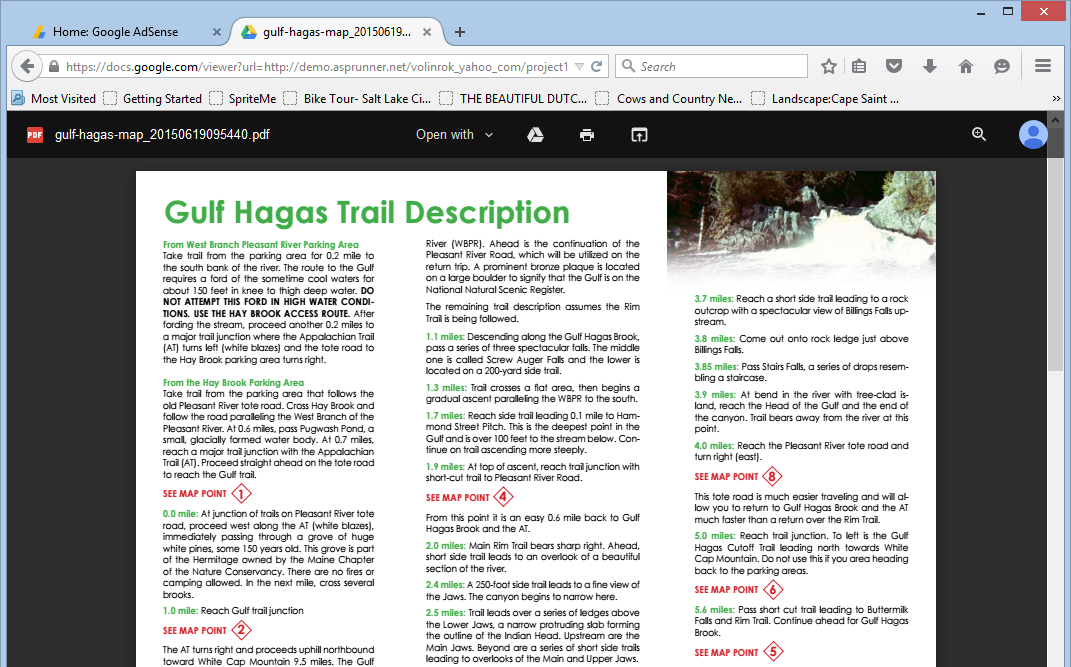
Google Docs Viewer can be used to preview uploaded Word, Excel and PDF files directly in the browser. Instead of downloading a document first, a user can click a link in the PHPRunner application and open the file in the viewer.
Building the best web application builder, one byte at the time
Google Docs Viewer can be used to preview uploaded Word, Excel and PDF files directly in the browser. Instead of downloading a document first, a user can click a link in the PHPRunner application and open the file in the viewer.
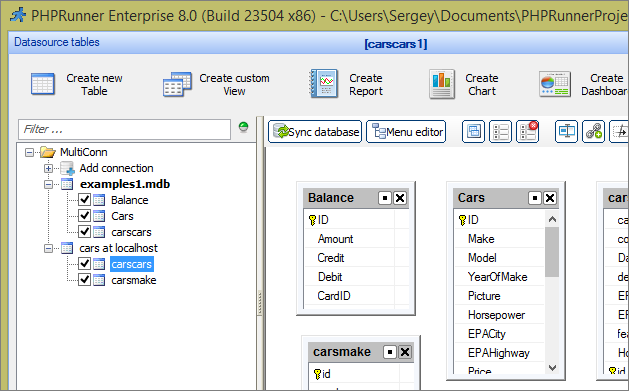
PHPRunner 8, ASPRunnerPro 9 and ASPRunner.NET 8 added an option to use multiple database connections in single project. This article explains how you can access data from multiple databases in your events.
Fairly often we want to split long forms into several steps letting users fill a few fields on each step. Besides making a long form easier to fill out for your users you can also save partial results between pages.
Here is how this can be done in PHPRunner, ASPRunnerPro and ASPRunner.NET.
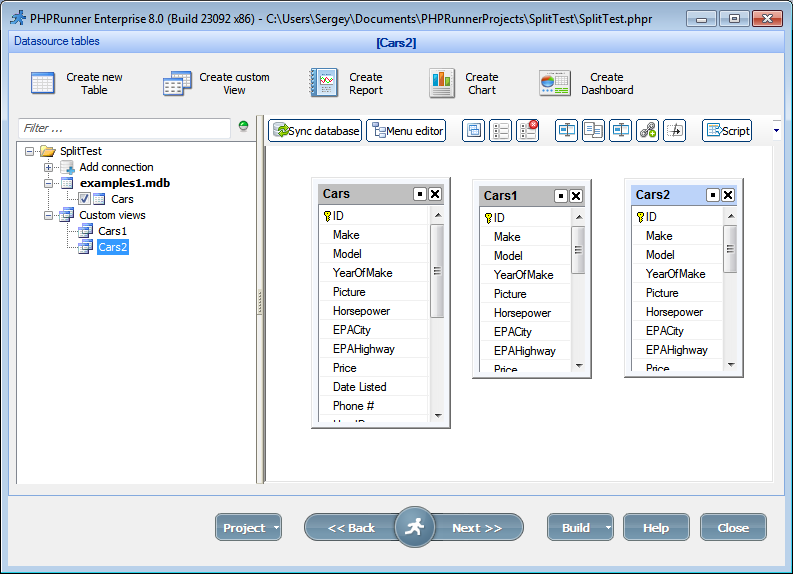
Lets assume we have Cars table with about 20 fields and we want to split Add/Edit pages into three steps.
Create two custom views (Cars1 and Cars2) based on Cars table
Happy Halloween everyone! Just a little Halloween fun project. To make your website more interesting you can choose to display a random background image for each visitor. Here is how it’s going to look: How to add this functionality to your project. 1. Download a set of sample images and unzip it to the output folder keeping directory structure. This should create a folder named backgrounds with a few images in there. You are free to add more images or to remove any you don’t…Continue Reading “Random page background: Halloween edition”
PHPRunner 8.0/ASPRunnerPro 9.0/ASPRunner.NET 8.0 are here. Purchase info and download links.
Click any image to see the full size screenshot.
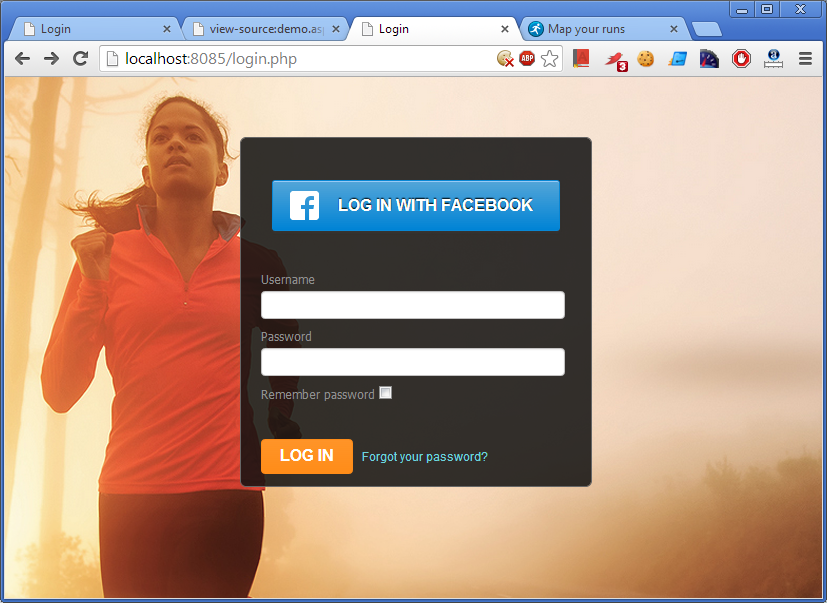
PHPRunner 7.0 and ASPRunnerPro 8.0 add a new new ‘Custom CSS’ feature – an easy way to modify the appearance of your pages adding bells and whistles Style Editor doesn’t support. Lets see how we can build a custom login page similar to this one:
Major new features
Add CSS rules manually in Style Editor to build professionally looking pages. Take a look at this customized login page: page background, input controls and Facebook button appearance were adjusted via CSS rules added in Style Editor. Click this image to open sample app in browser.

Data validation helps prevent incomplete, incorrectly formatted or otherwise invalid data from being saved. PHPRunner provides several ways to validate user input, from built-in field rules to custom JavaScript and server-side validation.
The right approach depends on what you need to check. Simple requirements such as mandatory fields can usually be handled with built-in validation. More complex business rules may require custom code.
A useful rule is to distinguish between user experience and data integrity. Client-side validation gives users immediate feedback, but important rules should also be enforced on the server before data is saved.
Continue Reading "Data Validation in PHPRunner: Client-Side and Server-Side Options"We plan to release a beta version of new PHPRunner and ASPRunnerPro in August-September 2012. Here are some of new features you can expect in this update.
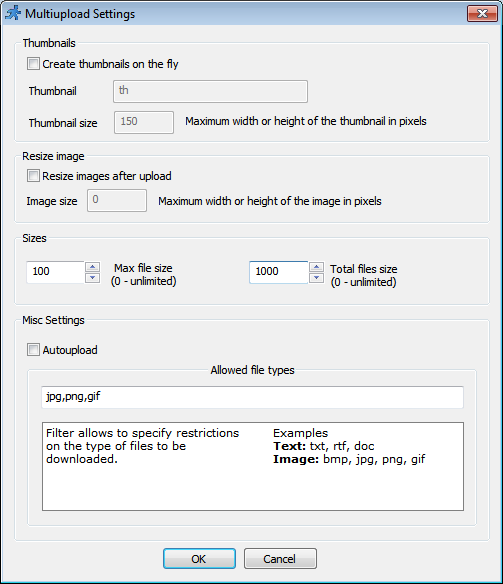
Upload settings:
In this article we will be focusing on debugging and troubleshooting the JavaScript errors. We will look at few examples to illustrate the methods used. For this purpose we will be using developers tools that come with Chrome browser. If you use Firefox – download and install the Firebug. Firebug is an extension to Mozilla Firefox web browser which allows us to monitor and debug the JavaScript in any web page. var ctrlPrice = Runner.getControl(pageid, ‘Price’); var ctrlQuantity = Runner.getControl(pageid, ‘Quantity’); var ctrlTotals = Runner.getControl(pageid,…Continue Reading “How to troubleshoot Javascript errors”