PHPRunner and ASPRunner.NET already provide password policies, encrypted password storage, CAPTCHA, two-factor authentication, and user permissions. In this tutorial, we will add two more checks: reject passwords found in known data breaches and block visitors whose IP addresses have a very high abuse score.

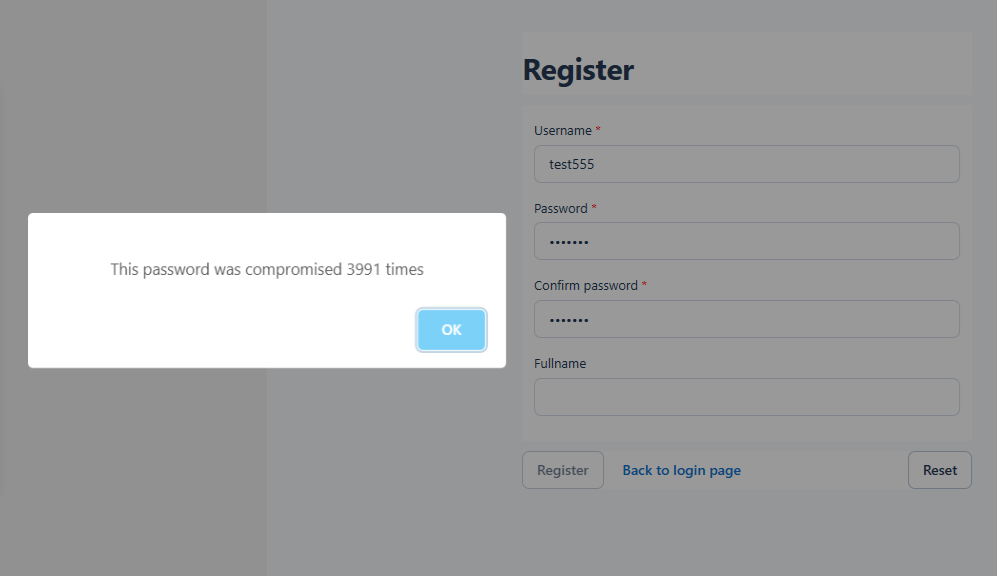
During registration, haveibeenpwned.com checks whether the password has appeared in known data breaches. The password itself is never sent to the service, and this API does not require a key.

Before processing an application page, abuseipdb.com checks whether the visitor’s IP address has been associated with abusive activity. This service requires an API key. Section 6 explains how to create that key. The results are cached locally to reduce the number of external requests.

Continue Reading "Block Compromised Passwords and High-Risk IP Addresses"

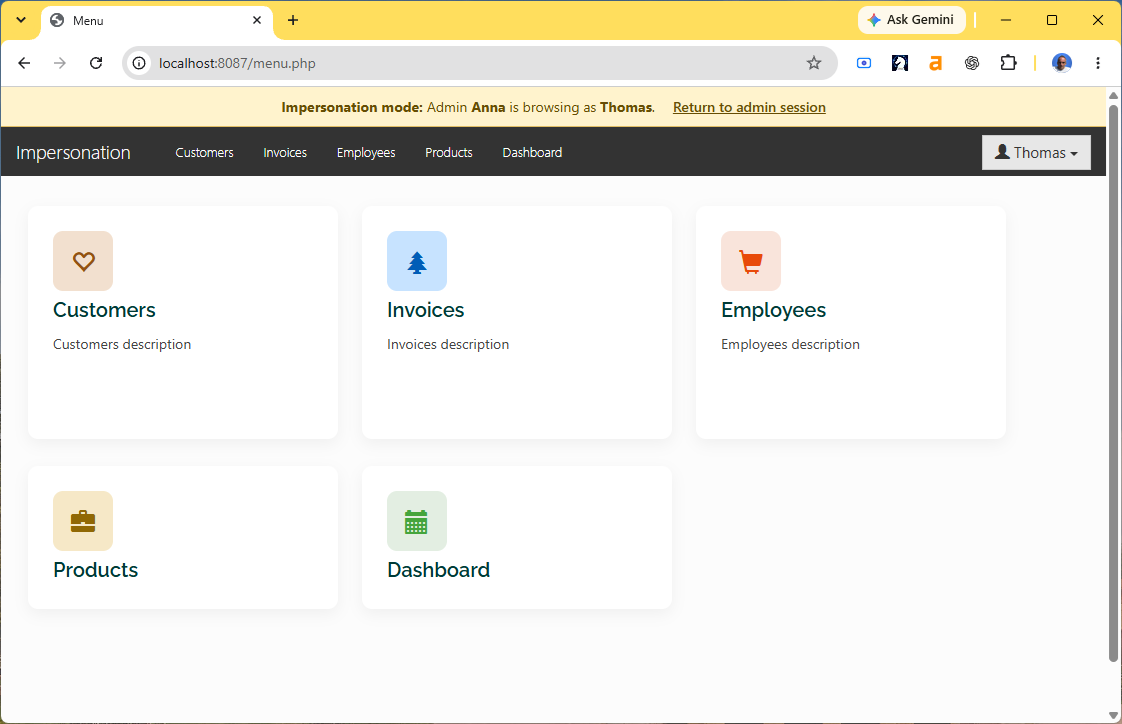
PHPRunner’s Security API lets an administrator switch to another application user without knowing that user’s password. This is useful when an administrator needs to reproduce a problem using the same pages, permissions, and data access as the user.

In this tutorial we will add an impersonation button to the login table, switch accounts with Security::loginAs(), display a warning banner while impersonation is active, and provide a link that restores the original administrator session.

We will cover:

1. Preparing the login table and administrator group
2. Adding an impersonation button to the List page
3. Showing the button only to administrators
4. Switching to the selected user
5. Redirecting after impersonation
6. Adding an impersonation banner
7. Styling the banner
8. Returning to the administrator session

Continue Reading "How to Add User Impersonation to a PHPRunner Application"