Keep purchasing tied to the correct BOM revision
A bill of materials can change while purchasing work is already underway. If an order always looks up whichever BOM is current today, an old order can quietly acquire new components, quantities, or substitutes that were never approved for it.
The safe design is to make BOM approval and effective dates part of the purchasing workflow. PHPRunner can provide the forms, permissions, and history around that process, while the revision rules remain explicit in the database.
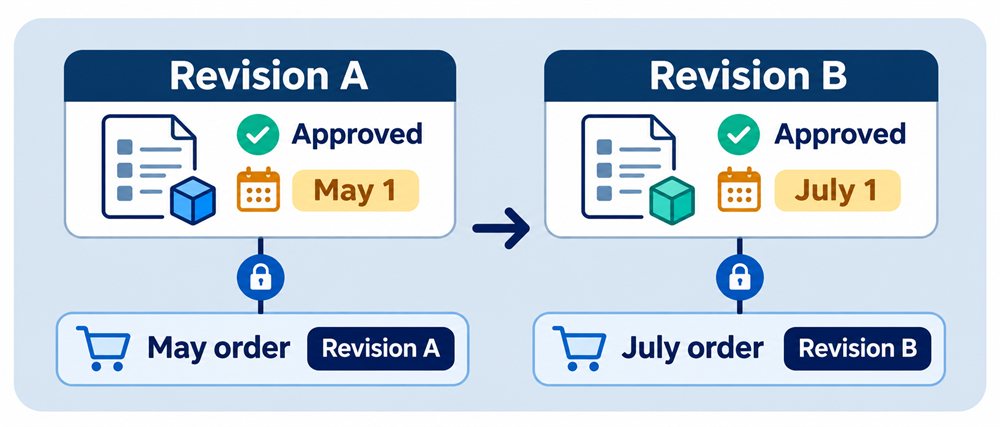
Quick answer: A purchasing document should select an approved BOM revision that is effective for the relevant date and store that exact revision. Never recalculate a historical order from the BOM that happens to be current now.
Separate the product from its revisions
Keep the product or assembly identity separate from BOM revision headers and revision lines. The header records the revision number, status, effective dates, approval details, and superseding revision. Its lines identify the required component and quantity for that edition.
Draft revisions can be edited. Released revisions should be protected. A material change creates a new revision instead of altering lines that existing orders already reference. This leaves a readable history of what was approved and when.
Resolve the revision once, then preserve the decision
When a buyer starts a purchasing document, the application should find the approved revision whose effective range covers the order's chosen date. It then stores that revision ID on the document or its source requirement. The purchasing lines can be copied as a working snapshot when the business process needs them, but their source revision remains traceable.
If no approved revision is effective, stop and ask for a deliberate decision. Do not silently fall back to a draft, an expired revision, or the newest revision number. A future-effective revision should not appear on an order dated before its start unless an authorized exception is recorded.
Decide what happens to work already open
A new BOM revision does not answer what should happen to an unsubmitted requisition or an open purchase order. Define that policy. An untouched draft might be refreshed after warning the buyer. A submitted or approved order will usually retain its original revision and require a controlled change if purchasing must move to the new one.
Show the buyer when a newer revision exists, but do not replace components behind the form. Record who accepted a refresh or exception and why. The important outcome is that the purchasing record explains which definition drove it.
Test the revision boundary
- Open a purchasing form, release a newer revision in another session, then save the old form. The application must detect the stale decision.
- Create a revision that becomes effective next month. Today's order should continue to select the currently effective approved revision.
- Try an order date for which no approved revision exists. The application should stop instead of guessing.
- Attempt to edit a released BOM line. The change should be rejected or moved into a new draft revision.
- Open a historical order after several revisions. Its component basis must remain unchanged and traceable.
How PHPRunner fits
PHPRunner can build the revision, component, purchasing, approval, and history pages on the relational database. Role-based permissions can separate editing, approval, and purchasing. Server-side events and database transactions can enforce effective-date selection, protect released lines, and reject stale forms.
This application supports controlled BOM use; it is not a replacement for CAD, PLM, MRP, or a complete ERP system. Integrations with those systems, engineering change controls, costing, and inventory planning need their own verified requirements.