Welcome and thank you for choosing PHPRunner!
PHPRunner creates a set of PHP pages to access and modify any MySQL, Oracle, MS SQL Server, PostgreSQL, or MS Access database. Using generated PHP pages users can search, edit, delete, and add data into the database.
PHPRunner is extremely easy to learn, you can get started in just 15 minutes!
Templates
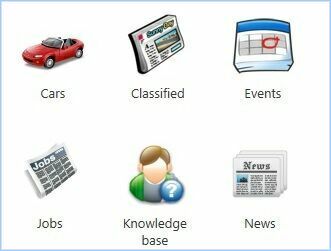
PHPRunner offers a large number of application templates - ready-made themed websites with complete graphical interface and database structure. All of the templates are easy to work with and completely customizable. The template can be used as a stand-alone website or can be integrated with other PHPRunner web applications.
Some of the templates available with PHPRunner are Cars, Classified ads, Knowledge base, Real estate, Job listings, and News.
See About templates to learn more.
Wide range of supported databases
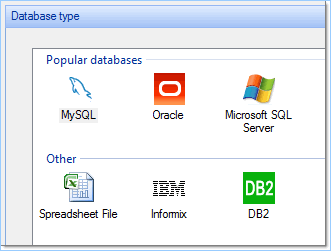
PHPRunner supports four database types, including MySQL, SQL Server, MS Access, and PostgreSQL. Even if you don't have a database, the software helps you create one.
PHPRunner lets you connect to your local database or a database located on a remote server. If you have a remote MySQL database, which does not allow a direct connection, you can connect to it using the "PHP proxy" method.
See Connecting to the database to learn more.
Multiple database connections
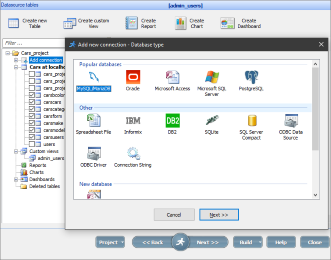
PHPRunner lets you add multiple data sources and mix several database types in a single PHPRunner project. You can have a master table in MySQL and a details table in MS Access. The same applies to lookup tables.
The multiple database connections feature is a part of the Enterprise Edition of PHPRunner.
See Datasource tables: Multiple connections to learn more.
Page Designer
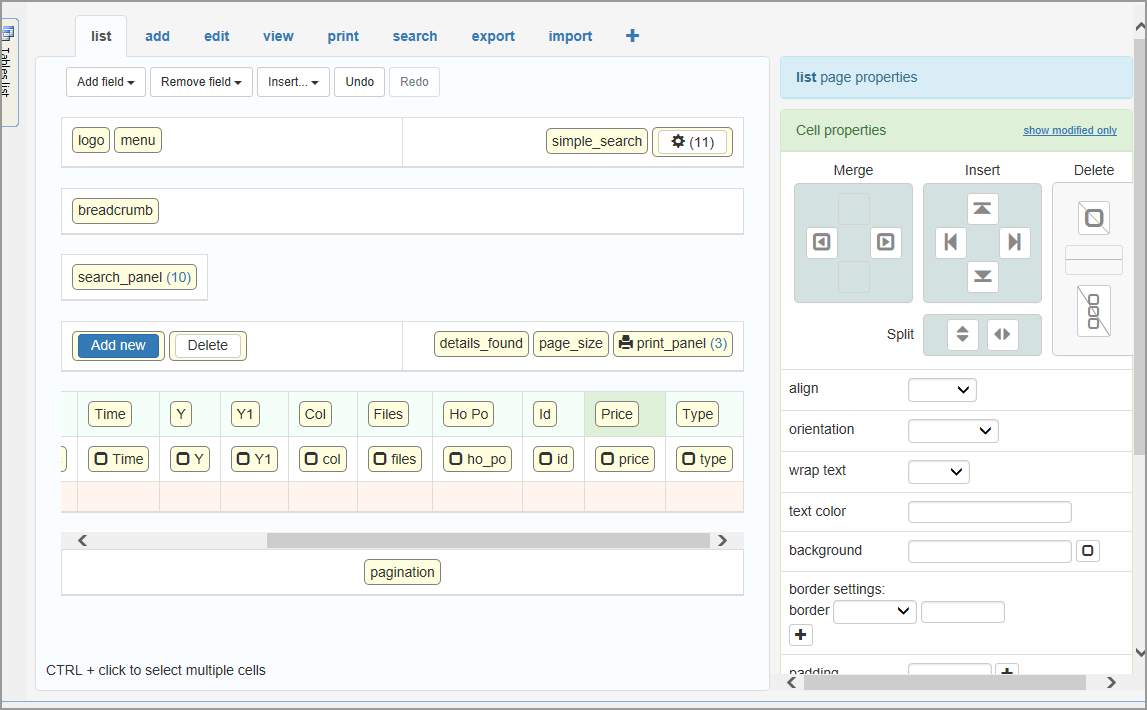
WYSIWYG Page Designer allows you to customize the look and feel of your application by using drag-n-drop and configuring the properties of pages, cells, and elements. PHPRunner presents you with a proposed layout for each page. However, the layout and all of the elements on the pages can be easily modified.
Page Designer allows you to drag and drop, copy and paste the objects around the page. For all of the fields and labels on the page, you can change the font, size, color, style, indentation, and alignment.
Page Designer also allows you to apply custom CSS to elements.
See About Page Designer to learn more.
Reports and Charts
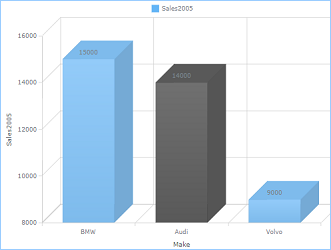
PHPRunner lets you build sophisticated, highly customizable interactive charts and reports to complement your website. You can choose from multiple chart and report types.
You also get a Web Charts and Reports Builder as a part of the PHPRunner Enterprise Edition, which lets you build the charts and reports online. Just like in the software, the Web Charts and Reports Builder offers a large selection of charts and reports that take just minutes to configure.
You can reuse the same security settings you have established in the program to decide which data sources you would like to expose to the users, and what permissions those users would have.
See Online report/chart builder to learn more.
Dashboards
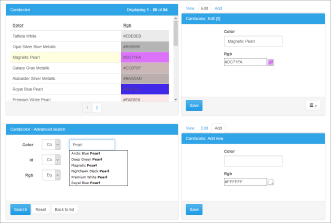
With PHPRunner you can create various types of easy to read and powerful dashboards. They allow you to display multiple related or unrelated objects on the same page like grids, single record views, master and details together, search pages, maps, or even code snippets.
You can change the dashboard layout and customize its appearance.
See Creating dashboards to learn more.
Application Preview
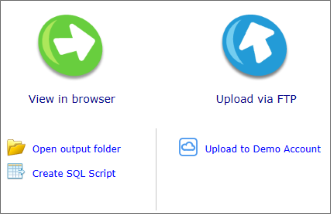
After you have built your web application, PHPRunner provides you with multiple options on how to preview it.
Preview your application in the browser locally and then upload the files to the Demo Account or to the remote web server using a built-in FTP client.
See After you are done to learn more.
SQL Editor
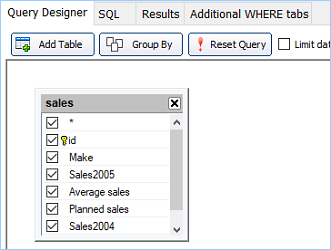
PHPRunner automatically creates an SQL query that can be visually modified with the Query Designer or edited as a text.
The SQL editor also allows you to preview the results of your SQL statement, create joins with drag-n-drop, and specify the criteria (where, order by, group by, etc.).
See About SQL query to learn more.
Security
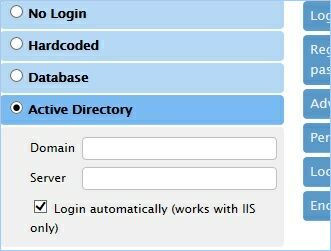
PHPRunner allows you to password-protect the access to your web application. You can either hardcode the username and password, store the login combinations in the database, or - with the Enterprise edition - use the Active Directory authentication. You can add the Login with Facebook or Google option to your site and allow guest access.
PHPRunner also allows you to set up user groups permissions where you can restrict access for certain groups of users to tables, views, pages, and site functionality.
See Security screen to learn more.
User Login Settings
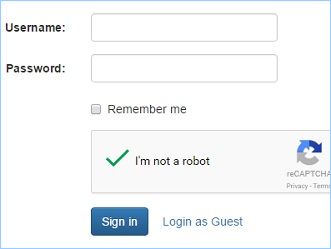
PHPRunner lets you create a new user Registration page as well as secure your pages from automated abuse using CAPTCHA protection, which easily determines whether the user is a bot or a human.
You can also restrict users from entering weak passwords and allow them to request password reminders.
See Registration and passwords to learn more.
Dynamic Permissions
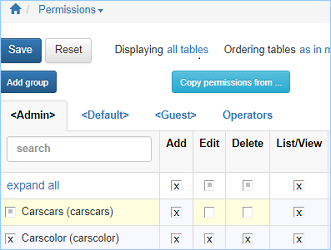
With dynamic permissions, PHPRunner lets you create and modify the permissions and assign users to certain groups within the generated web application. So that when you need to modify the permissions, create a new group, or assign users to groups, you don't have to rebuild the project.
Dynamic permissions are especially helpful for larger corporations where the application security administrators are not the actual users of PHPRunner.
See Dynamic permissions to learn more.
Multilanguage support
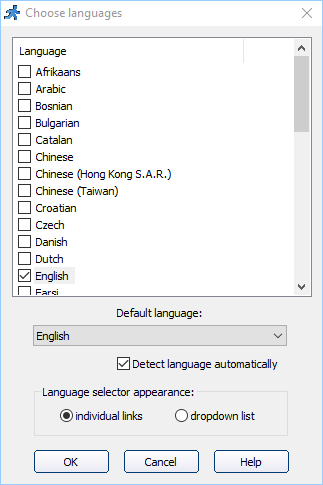
PHPRunner supports more than 30 languages giving your users an ability to choose the language while logging in. You can also add the translations for table names and fields.
The list of supported languages includes: Afrikaans, Arabic, Bosnian, Catalan, Chinese, Chinese (Hong Kong S.A.R.), Chinese (Taiwan), Croatian, Danish, Dutch (Belgian), Dutch (Standard), English, French, German, Greek, Hebrew, Hungarian, Indonesian, Italian, Japanese, Malaysian, Norwegian (Bokmal), Polish, Portuguese (Brazil), Portuguese (Standard), Romanian, Slovak, Spanish, Swedish, Thai, Turkish, Urdu.
See Miscellaneous settings: Language to learn more.
Events
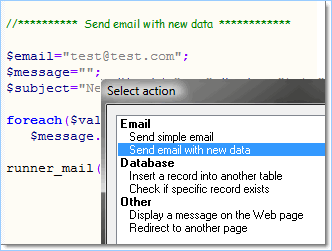
With PHPRunner you can expand the functionality of your application by adding your code to events. Events are actions that are performed automatically when certain conditions are met.
Events allow you to send an email with a new data, save data in another table, check record uniqueness, show info related to the current record, etc. You can either select one of the predefined actions, copy-paste some of the sample events, or write the code from scratch.
See Event editor to learn more.
Master-Details Relationships
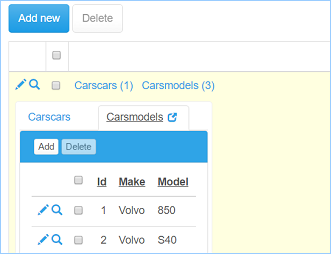
With PHPRunner all of your data sources and the relationships between them, including master-details, are visually displayed, making them very intuitive to understand and manage. You can link two or more data sets using drag-n-drop. Once you have established the relationships, you can navigate through master records and quickly jump over to the details of those records in the application.
Some basic scenarios of master-details relationships are customers and their orders data, patients and their medical records, or students and information about their courses.
See Master-details relationship between tables to learn more.
Rich Text Editor Controls
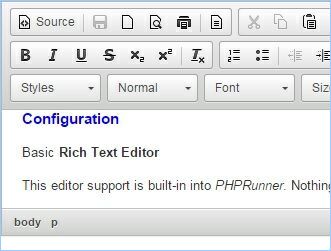
PHPRunner supports three third-party rich text editors to make sure you have a measure of control over content formatting. The included editors are Basic Rich Text Editor, CKEditor, and InnovaStudio Editor. They vary in features, versatility, and footprints.
See Rich Text Editor plugins to learn more.
Images and Documents
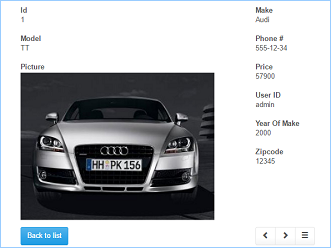
PHPRunner lets you upload documents and images of any type to the database or directory on the web server. You can also create image thumbnails on the fly, resize images on upload, or display them in galleries.
See Edit as: Image to learn more.
Dependent Dropdown Boxes
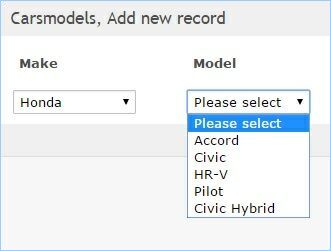
With PHPRunner, you can create and use linked dropdown boxes, where values shown in the second dropdown box depend on the value you've chosen in the first one.
You can link together as many dropdown boxes as you need in a linear chain or have multiple dropdown boxes link to the same master dropdown control.
See Lookup wizard: Dependent values list to learn more.
Edit Controls
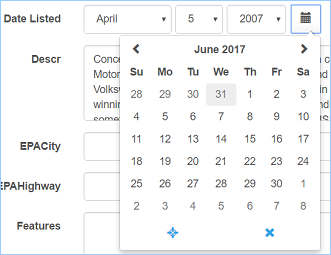
PHPRunner offers a large variety of edit controls, which allow you to customize the appearance of the fields on Edit and Add pages. The field formats you can choose from include text field, date, time, checkbox, radio button, file/image, lookup wizard, and others.
See "Edit as" settings to learn more.
Integration With Existing Website
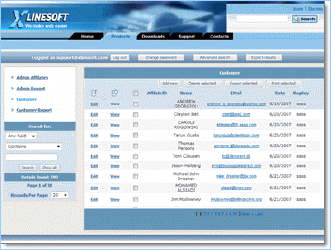
PHPRunner lets you seamlessly integrate the web applications you build into your existing website. You can closely match the look and feel of all of your pages.
Ajax-based functionality
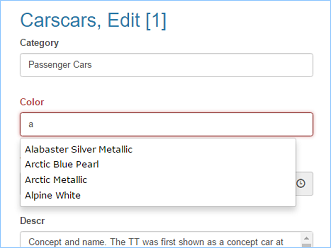
PHPRunner comes with built-in AJAX-based functionality making your websites much more user-friendly. You can search for information more efficiently than ever with a Google-like auto-suggest feature.
The pages with AJAX driven dependent dropdown boxes also load much faster. With AJAX, you can preview the content by simply hovering over the links.
See AJAX-based functionality to learn more.
FTP Upload
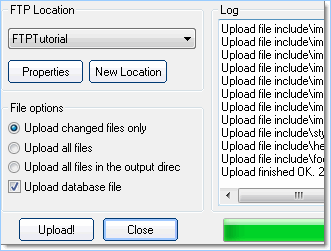
PHPRunner lets you upload the entire application to your web server via a built-in or a third-party FTP. You can set the upload properties based on your needs.
See FTP upload to learn more.
Create/Modify Database Tables
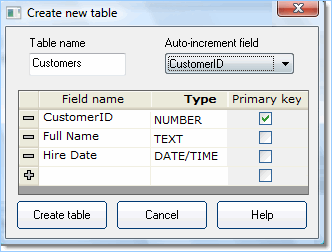
PHPRunner lets you create and modify the tables right in the software. You can access the table properties where you can set the field names, types, sizes, and select the primary key field.
If you don't have a database at all, PHPRunner helps you create one too.
See Datasource tables to learn more.
Additional Templates
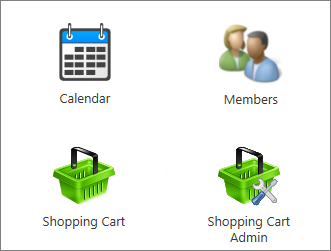
To complement the list of our built-in application templates, we offer three more templates as the Templates Pack that can significantly enhance your web application. The Templates Pack includes the Shopping Cart template, Calendar template, and Members template.
The Templates Pack is available for purchase for all existing PHPRunner users and is guaranteed to integrate with other PHPRunner projects.
Cascade Menu Builder
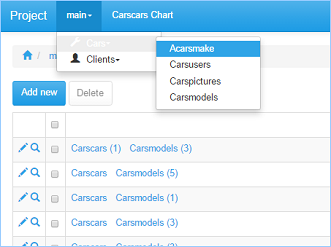
The Cascade Menu Builder lets you organize your tables into a multi-level menu for quicker navigation. This feature is particularly useful to users with a large number of tables.
You can have as many groups and subgroups as you need. Depending on your page layout, the cascade menu appears as a horizontal menu, vertical menu, or a tree-like vertical menu.
See Menu builder to learn more.
Import
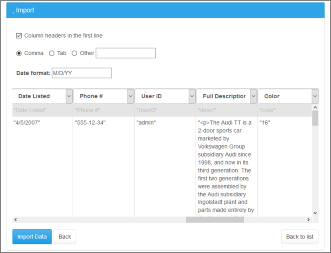
PHPRunner allows you to import CSV files, Excel 2007 (.xlsx) and Excel 97-2003 (.xls) files. You can copy and paste import data instead of uploading the file that can be extremely useful on mobile devices.
Column mapping is also supported.
See Export/Import pages to learn more.
See also:
