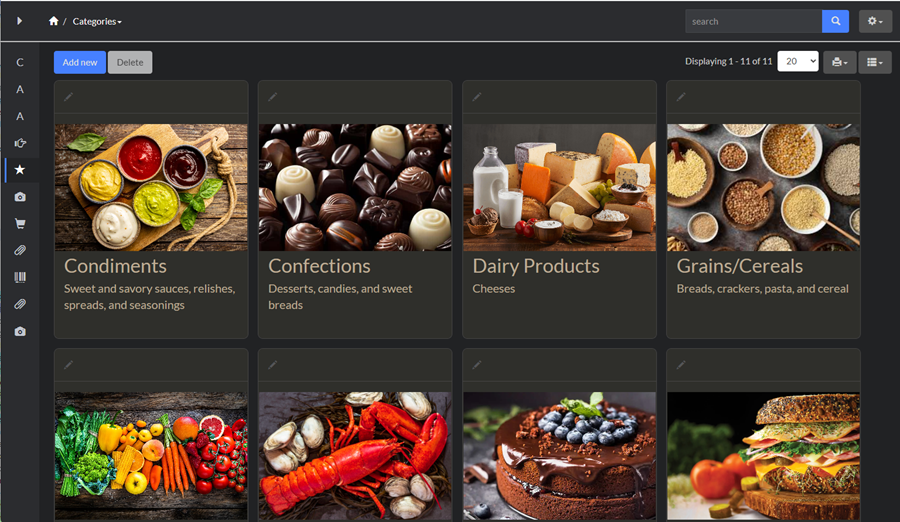
Cards layout can be enabled on Choose pages screen. This an additional List page with a special layout, similar to one that you can see on a online shopping website or on a movie service like Netflix. It makes the most sense for readonly apps where user needs to select one of several options from the list.
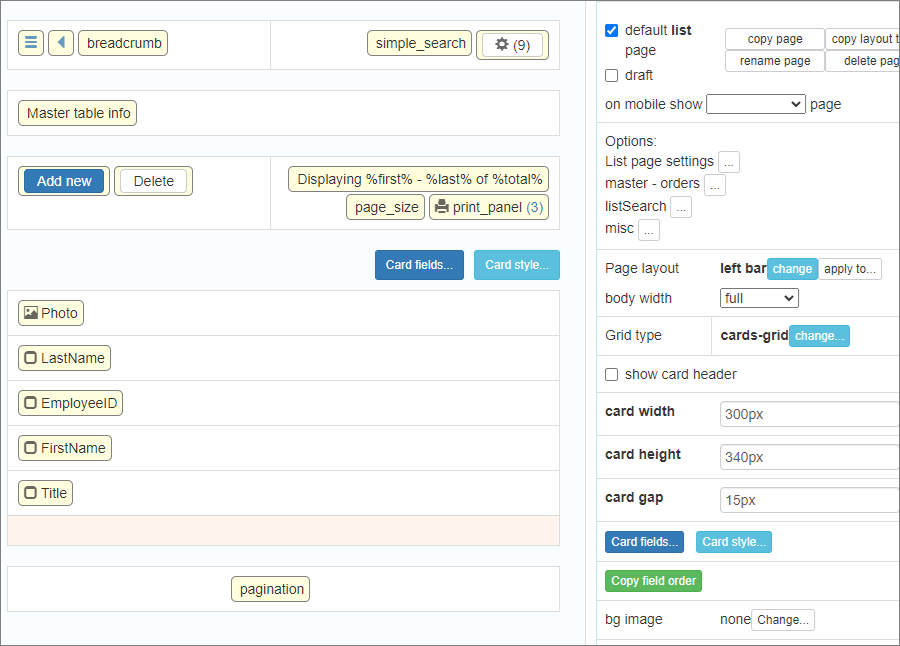
If you also need to enable functions like Edit or Delete, proceed to Cards page in the Page Designer and select show card header option which will display a header at the top of each card.
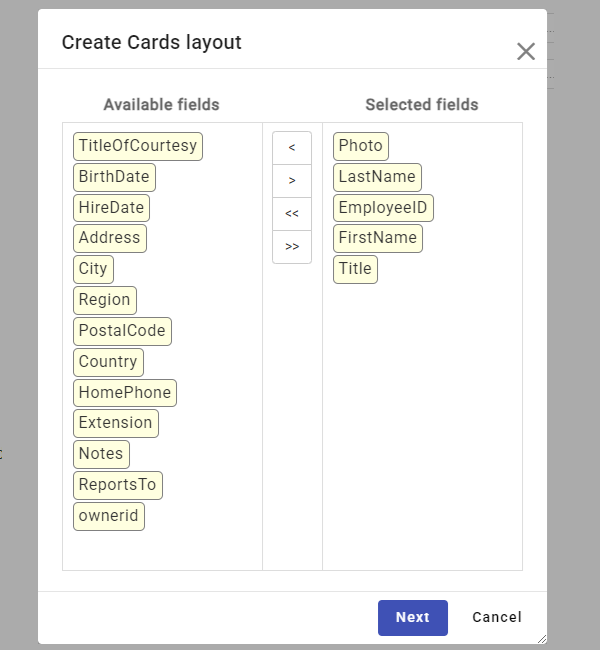
Once the Card layout is selected, a wizard appears where you can choose which fields to include.
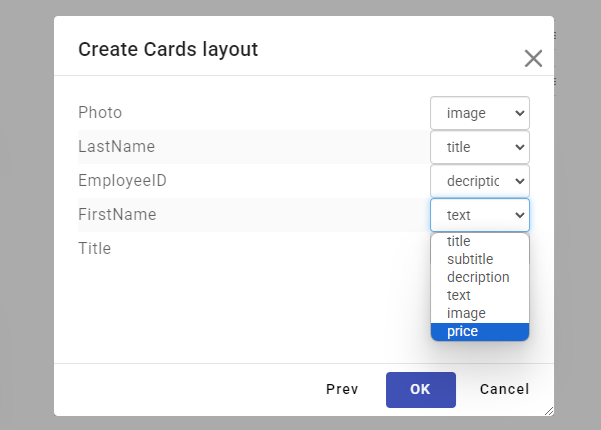
On the next screen you can customize the format of the selected fields. You can also change these settings on the Page Designer screen.
Then in Page Designer you can customize settings like cards width, height and the gap between the cards.
See also:
•List page settings / Click actions
•Printer-friendly/PDF view settings
