Contents

Introduction
Welcome
System requirements
Licensing details
What is the registration
Quick start guide
Using ASPRunnerPro
Working with projects
Navigation bar
Templates
What are templates
Cars
Classified ads
Events
Jobs
Knowledge base
News
Paypal
Real estate
Sporting
Vacation houses
Connecting to the database
Datasource tables
Master-detail relationship between tables
SQL query page
About SQL query designer
Query Designer
SQL
Results
Charts
Creating chart
Chart types
List of chart types
Accumulation chart
Area chart
Bubble chart
Column/Bar charts
Combined chart
Financial OHLC/Candlestick charts
Gauge chart
Line chart
Pie/Doughnut charts
Chart parameters
Chart appearance
Using SQL to shape chart data
Reports
Creating report and setting parameters
Report totals and layout
Choose pages
Choose fields
Fields order and totals
Miscellaneous settings
Security
Login page
User login settings
Advanced security settings
User group permissions
Dynamic permissions
Audit and record locking
Choose theme
Visual Editor
About
Toolbars
Page Elements
Adding ASP code snippet
Adding CAPTCHA
Insert button
Insert Google Map
"View as" settings
"View as" settings: Custom
"View as" settings: Map
"Edit as" settings
Validation types
Lookup wizard
Menu builder
Events
Output directory settings
After you are done
FTP upload
FrontPage Publishing
Advanced topics
Events
Predefined actions
Send a simple email
Send an email with new data
Send an email with old data
Save new data in another table
Save old data in another table
Insert a record into another table
Check if specific record exists
Display a message on the Web page
Redirect to another page
Sample events
Appearance
Add dropdown list box with values for search
Add foldable section
Change cell background color
Change font in dropdown list
Change row background color
Change width of edit box with AJAX popup
Change width of text field on Quick Search panel
Disable record editing
Hide controls on Add/Edit pages, based on logged user name
Redirect to details page after master record was added
Show data from master table on detail view/edit/add page
Show dropdown list of US states if US was selected in country list
Show pop-up window
Make search button return data only when search value was entered
Database
Before deleting a record check if related records exist
Show list of customer orders
Select multiple values from checkboxes or a list field and have them appear as individual database entries
Update multiple records on the List page
Update multiple tables
Dynamic SQL query
Email
Email selected records
Send an email with updated fields only
Send mass email to all users
Upload
Check size and extension of uploaded files
Rename uploaded files
Upload files to users folders
Misc
Check if start date is ealier than end date
Speed up data entry using events
Save user data in session variables
Implementing 'single sign on' feature
Redirect to user info edit page
Global events
Login page
Before process
Before login
After successful login
After unsuccessful login
Before display
JavaScript OnLoad
Menu page
Before process
Before display
Register page
Before process
Before registration
After successful registration
After unsuccessful registration
Before display
JavaScript OnLoad
Change password page
Before process
Before change password
After password changed
Before display
JavaScript OnLoad
Remind password page
Before process
Before password reminder sent
After password reminder sent
Before display
JavaScript OnLoad
After application initialized
Menu item: Modify
Table events
Add page
Before process
Before record added
After record added
Before display
JavaScript OnLoad
Copy page
OnLoad
Edit page
Before process
Before record updated
After record updated
Before SQL query
Before display
JavaScript OnLoad
List page
Before process
Before record deleted
After record deleted
After group of records deleted
Before SQL query
Before record processed
After record processed
Before display
JavaScript OnLoad
Get Row Count
Custom Query
Custom record fetch
Report page
Before process
Before display
Before SQL query
JavaScript OnLoad
Chart page
Before process
Before SQL query
Before display
JavaScript OnLoad
Update chart settings
Printer-friendly page
Before process
Before SQL query
Before record processed
After record processed
Before display
JavaScript OnLoad
View page
Before process
Before SQL query
Before display
JavaScript OnLoad
Search page
Before process
Before display
JavaScript OnLoad
Import page
Before record inserted
Before import started
After import finished
Export page
Before process
Before SQL query
JavaScript OnLoad
Before record exported
After table initialized
Page life cycle overview
Common event parameters
Programming topics
ASPRunnerPro session variables
ASPRunnerPro templates
Data Access Layer
Debugging tips
How to calculate values on the fly
How to control Inline Add/Edit functionality from script
How to perform Add/Edit via SQL
Javascript API
Master-details relationships
runner_mail function
Template files processing rules (Files.txt)
Template language
Troubleshooting "Operation must use an updateable query" errors
Useful functions and links
Using JOIN SQL queries
Connecting to database
Connecting to MS Access database
Connecting to MS SQL Server database
Connecting to FoxPro database
Connecting to MySQL database
Connecting to Oracle database
Connecting to MS Excel database
Connecting to CSV or Text file
Publishing ASP application to the remote Web server
Using third party FTP client to publish ASP pages to the remote Web server
Using FrontPage to publish ASP pages to the remote Web server
Demo account
What is the Demo Account?
Terms and Conditions
Enterprise Edition
Online report/chart builder
Online report/chart builder v2.0 - Installation notes
Creating web report
Creating web chart
Internet Information Services (IIS)
How to add external css/asp/js files
ODBC
AJAX-based Functionality
Multilanguage support
Stylesheets
Rich Text Editor plugins
Web interface guide
Frequently Asked Questions
Error: Cannot update. Database or object is read-only
Error: Data provider could not be initialized
Error: Data type mismatch in criteria expression
Error: Invalid use of Null: 'Replace'
Error: I enter correct login and password but receive Invalid Login error. I use SQL Server.
Error: Login failed for user 'MACHINE_NAME\IUSR_MACHINE_NAME'
Error: Operation must use an updateable query.
Error: Row cannot be located for updating
Error: Specified driver could not be loaded due to system error 5 (Oracle in OraHome92)
Error: Syntax error in UPDATE statement.
Error: Syntax error in INSERT INTO statement
Error: The Microsoft Jet database engine cannot open the file (unknown).
Error: Too many fields defined
Error: Unable to open registry key 'Temporary (volatile) Jet DSN for process ...
How to work with Access database stored on the remote computer?
How can I add new ODBC Datasource
I cannot find ODBC Administrator applet on Windows 2000 machine
I cannot connect to my Excel (Access) database
Reserved Access, T-SQL, ODBC keywords.
Where can I download latest ODBC drivers
Order ASPRunnerPro online

 
Home
ASPRunner Professional 6.2 manual
Prev Page Next Page


Visual Editor - Menu builder


Using menu builder you can modify and reorder menu entries, create cascading menu.

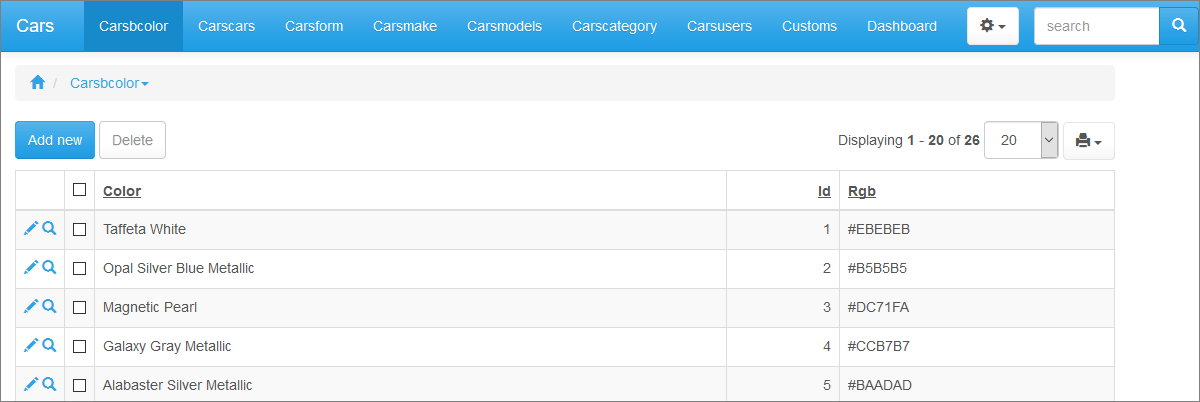
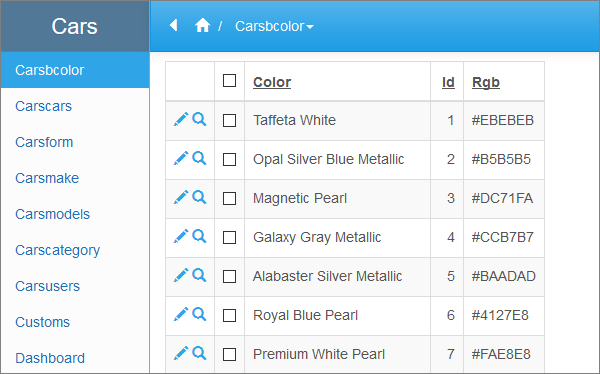
Once a project is created, menu consists of tables selected for this project. Depending on selected layout menu appears as horizontal or vertical menu. More info on selecting layout. On this stage menu is single-level.

Menu_vertical

Menu_gorizontal

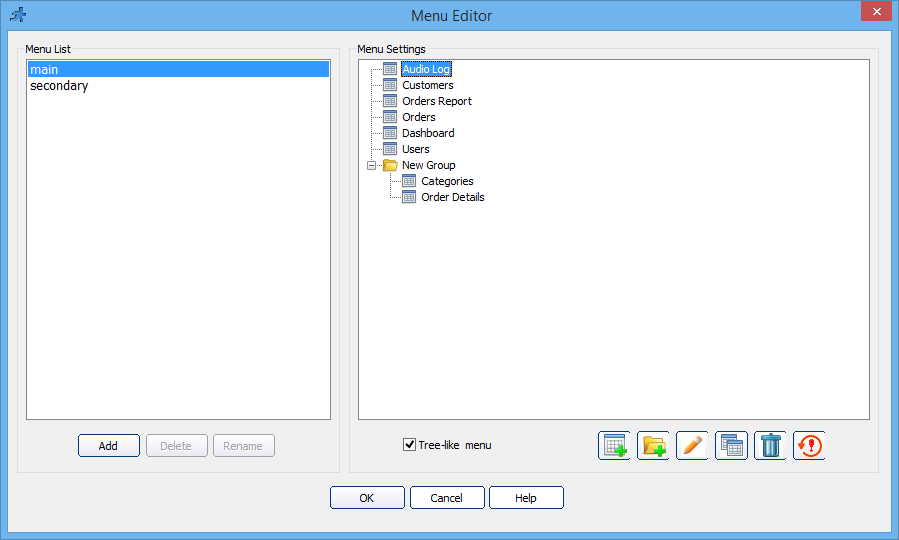
To open Menu builder, go to the Visual Editor page and click menubuilder_bt.

Menu_builder

You can change already created menu entries by double-clicking on them or selecting Properties with right-mouse button. You can add new groups and links. Notice that group can also include the link or serve just as folder for other groups and links.

yellowbulbNote: You can always change the type of any menu entry from link to group and vice versa using Properties dialog.

Delete item button deletes currently selected menu item.

Reset to defaults button resets menu to its default state - as if project and menu was just created.

Link attributes

Menu_builder_pages

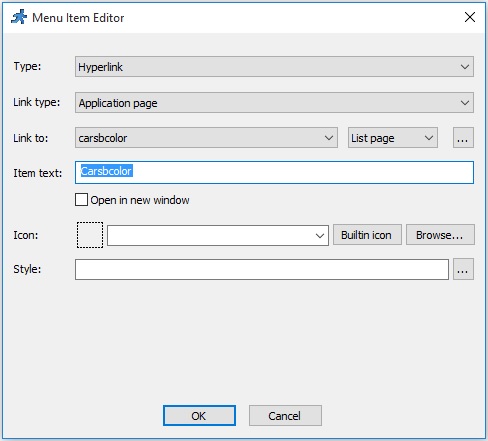
While adding or editing a link you are able to specify the following link attributes:

Type - Select between a hyperlink or a group.

Link type - Select between ASPRunnerPro page or External page.

Link to - If Link type is set to External page, then add link to any web page. If Link type is set to ASPRunnerPro page, then firstly select a table within your project and then one of pages that are available for selected table. Usually, you can choose between:

· List page - displays data from the table;
· Add page - allows to add new record to the table;
· Search page - provides advanced search for a data in the table;
· Print page - prepares user-friendly page with data from the table for printing.

More info about what kind of ASPRunnerPro pages you can create and use.

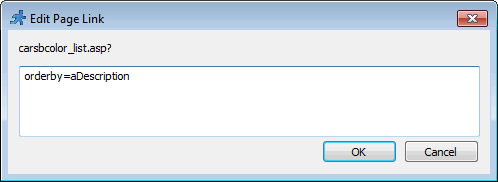
Click '...' button next to the page type list box to set link parameters. Example of link parameter: orderby=aDescription. The link with parameter is carsbcolor_list.asp?orderby=aDescription.
Menu_builder_link

Note that user group permissions are applied to the internal links (ASPRunnerPro pages) and not applied to the external ones.

Link text - Link text will be displayed as menu item title. If multilanguage support is turned on in your project, you will see Multilanguage... button that allows translating link text into several languages. More info on multiple language support.

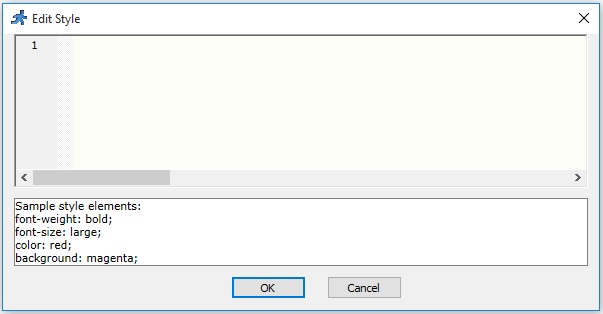
Style - Set menu item text style by adding CSS style description. You can add several CSS properties using semicolon between them.

Menu_builder_style

Here are several examples of how you can modify menu item text style:

· font-size:12px; color:red
· font-size:200%; font-weight:bold
· font: 12px italic; border: solid
· color:rgb(255,0,0); background-color:black
· border: dotted red 2 px

Open in new window option allows opening the links that compose a menu in new browser window.

Cascading menu

yellowbulbNote: Cascading menu is supported by all layouts except Default.

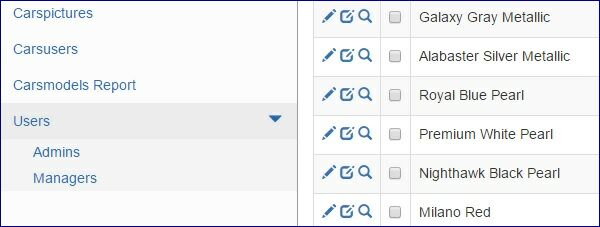
To create a cascading menu, you can drag and drop already created menu entries building cascading structure. Or you can right-click certain menu item or blank area near menu and create new group or link.

Menu_builder_cascade

If you select layout with vertical menu you will see Tree-like menu checkbox that allows to display vertical cascade menu that expands/collapses menu entries.

Menu_builder_tree


Converted from CHM to HTML with chm2web Standard 2.83 (unicode)