Quick jump |
The Edit as option Lookup wizard makes the element appear as a list of values. The values can be entered manually (List of values option) or retrieved from the database table (Database table option).
The List of values option allows entering or removing the values manually via add/delete buttons. Use up/down buttons to re-order the values on the page.
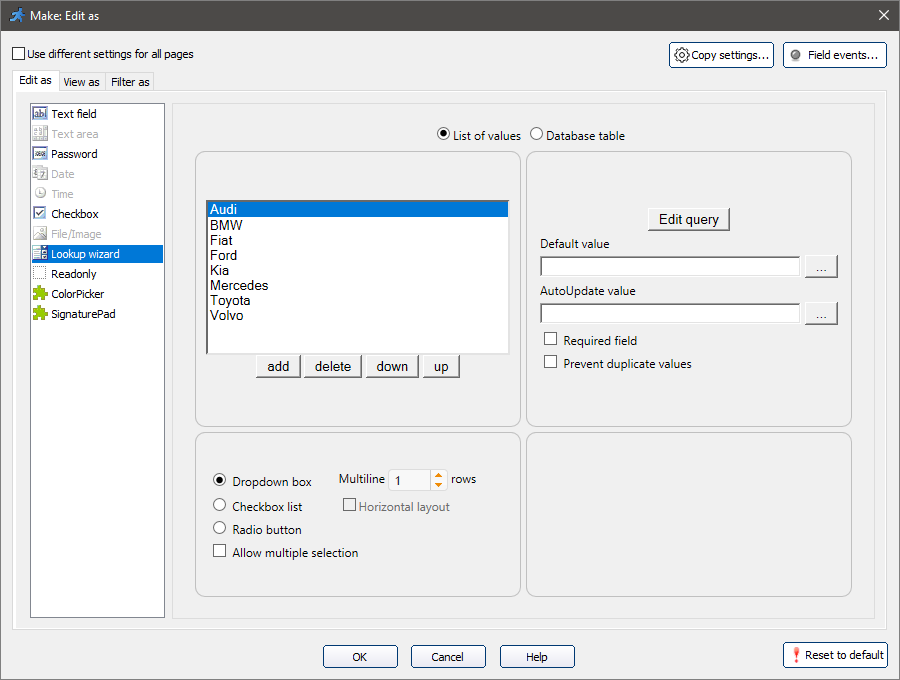
The Edit query button opens the Query screen in a new window. For more information, see About SQL query.
With a Database table option, you can select the existing database table to retrieve the values from.
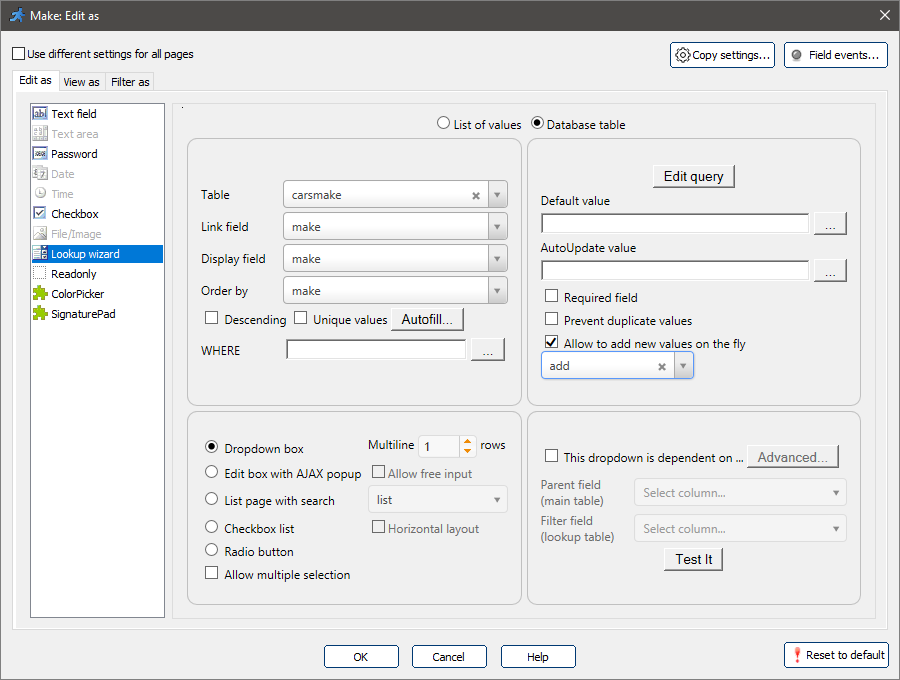
Note: the rules applied to the project tables (such as modified SQL query, Advanced Security settings, changes made to the SQLQuery object in the After table initialized event), also apply to the Lookup wizard.
For example, you can limit the list of resulting items with Advanced Security settings.
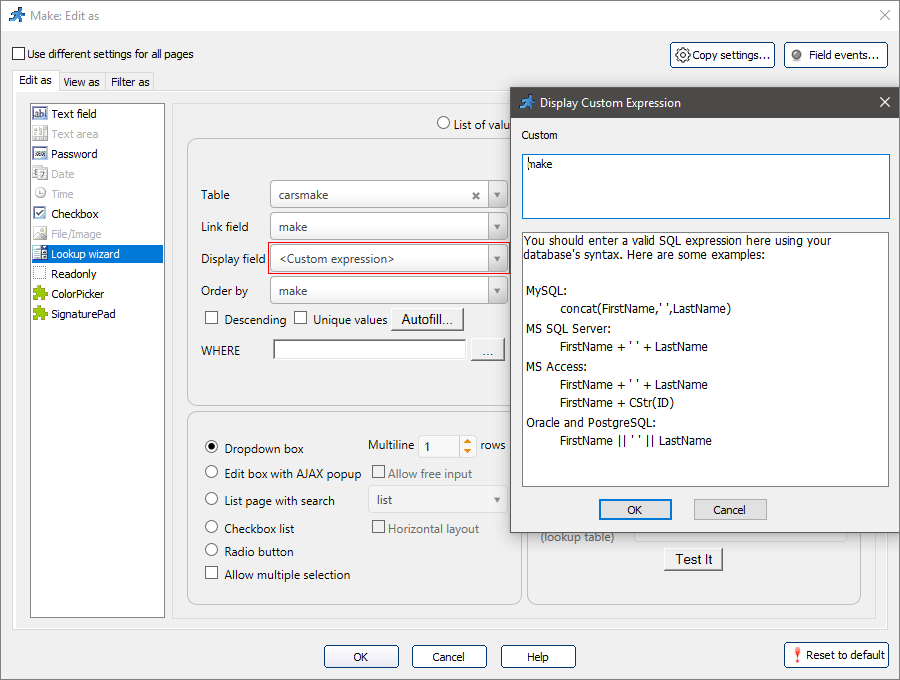
Custom expression in the Display field
You can use custom expressions in the Display field to display several values from different fields with a custom design. Click the Display field dropdown and select <Custom expression> to enter the expression in a popup window.
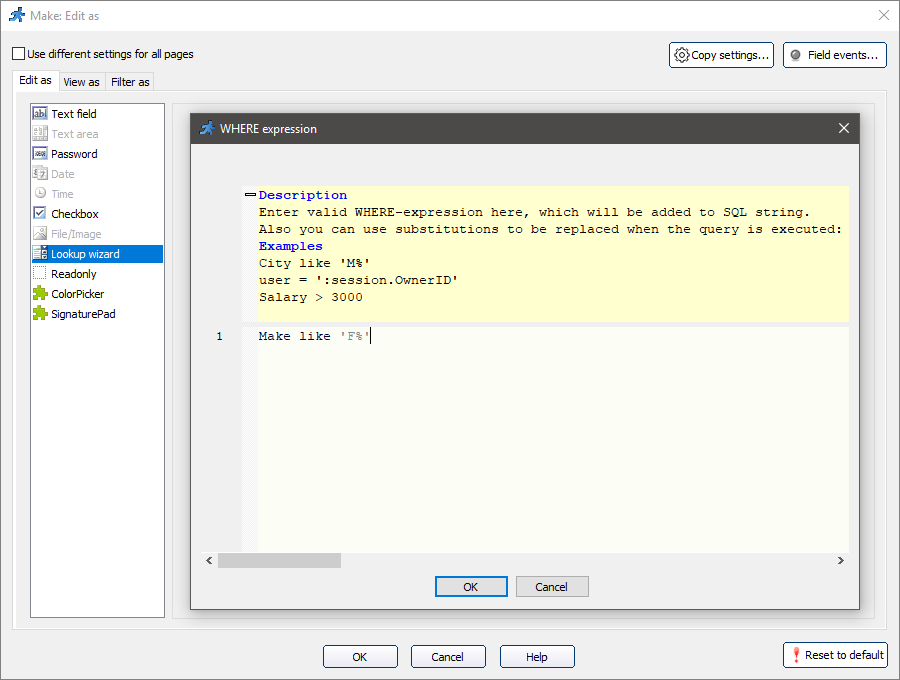
The WHERE expression allows filtering the resulting values. In our example, if you put Make like 'F%' into the WHERE box, only the makers starting with "F" will appear in this field.
You can use SQL variables in a WHERE expression:
CustomerID= ':user.CustomerID'
CustomerID= ':session.UserID'
You can also use session variables that are arrays. For instance, you have a session variable named CustomerIDs that is an array and stores a list of Customer IDs like: 3, 5, 17. You can now use this array in WHERE clause this way:
customer_id IN ( :session.CustomerIDs )
which will produce the the following WHERE clause:
customer_id IN ( 3, 5, 17 )
And the same idea with text values. If you have a session variable named Postcodes that is an array of the following values: 'ABC', 'CBD', DEC'. Now in your WHERE clause you can use the following.
postcode IN ( ':session.Postcodes' )
which will produce the the following WHERE clause:
postcode IN ( 'ABC', 'CBD', DEC' )
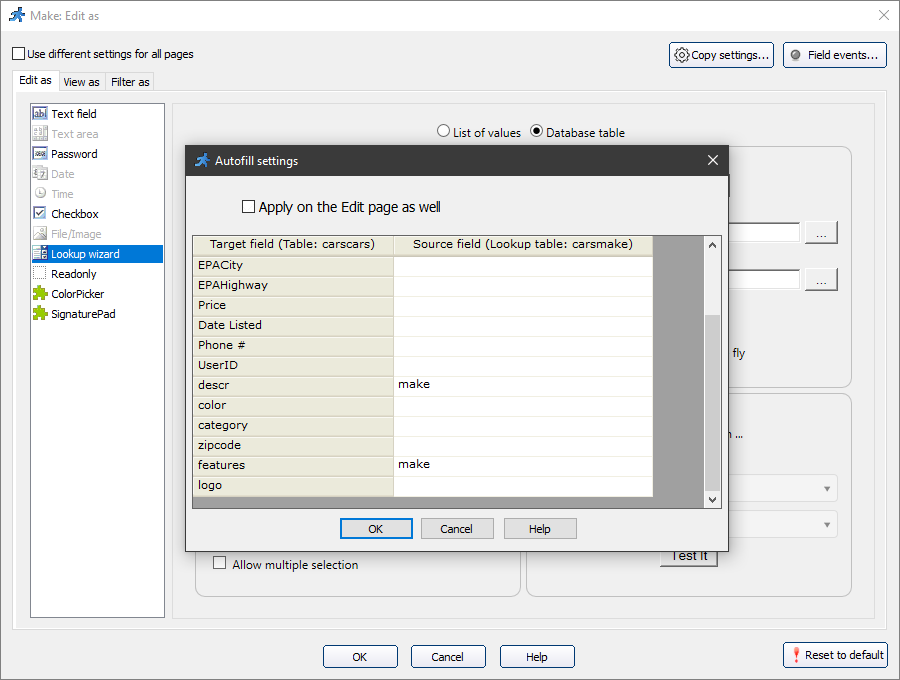
You can autofill several fields on the Add/Edit pages with values from the lookup table. Let's say, that you want to autofill the Description and Features fields with the Make value from the carsmake table on the Add page. Click Autofill and select the corresponding source fields of the lookup table.
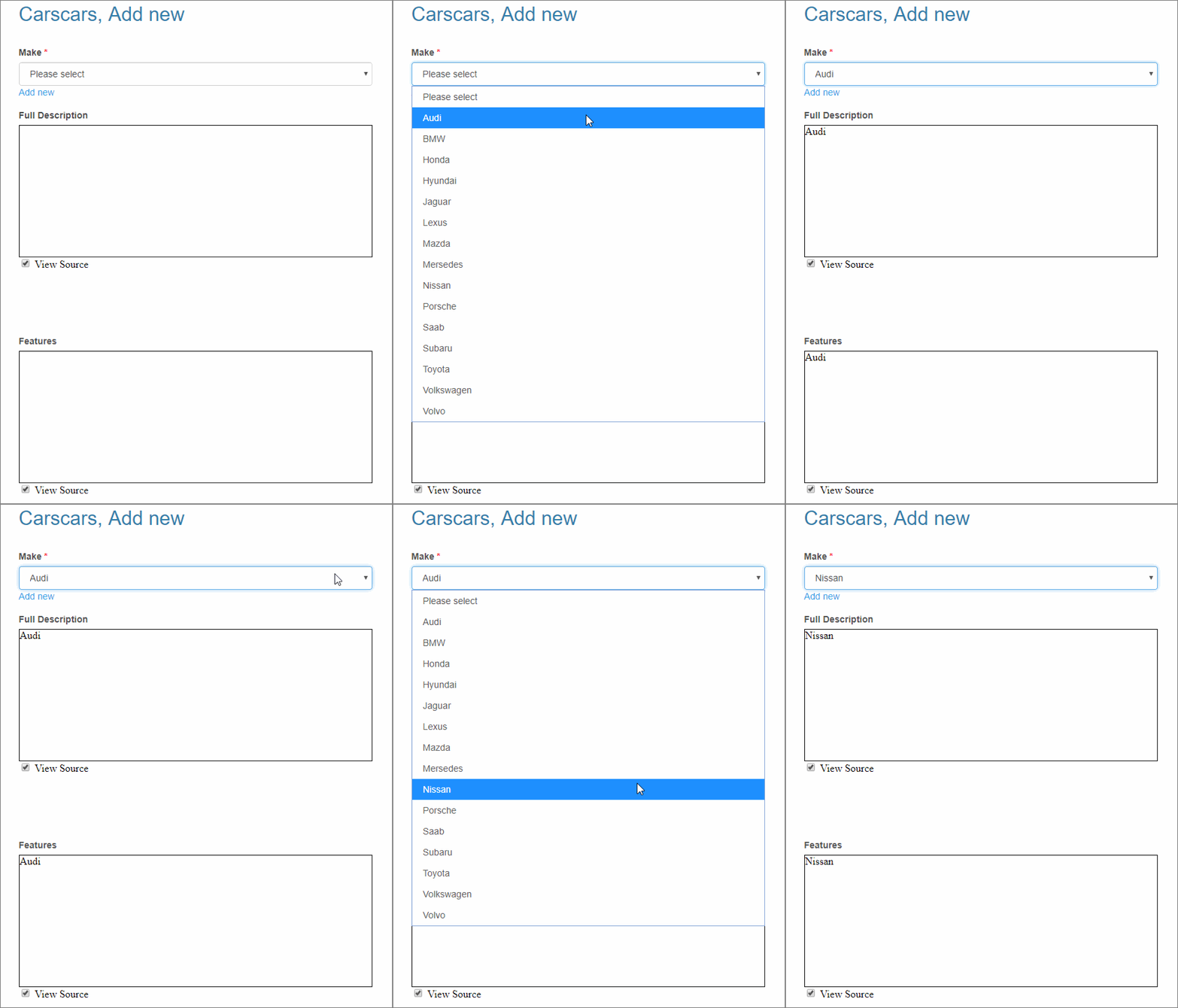
When you select the make of a car, it is also automatically added to the Description and Features fields:
Allow to add new items on the fly
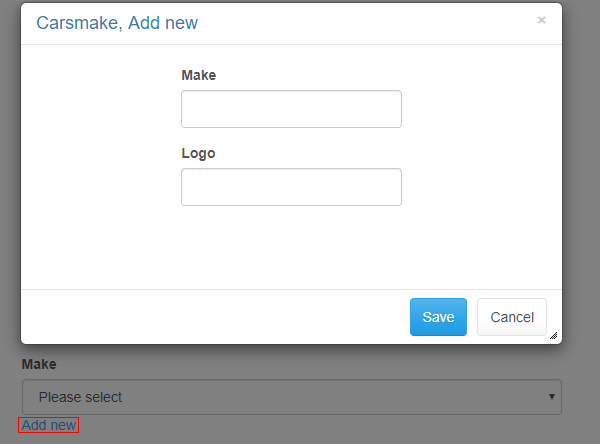
This option puts "Add new" link next to the list of the values, allowing to add new items right on Edit/Add page. Add new item popup is a fully-featured Add page. You can specify which Add page to open in the popup with a dropdown under the checkbox.
You can use dependent value lists, where the values shown in the second list depend on the value you’ve chosen in the first one.
Let's make the Model field content depend on the Make field value:
1. Set Lookup wizard as the "Edit as" type for the Make and Model fields.
2. For the Model field, select This dropdown is dependent on checkbox. Select Make as the parent field from the main table and the filter field from the lookup table.
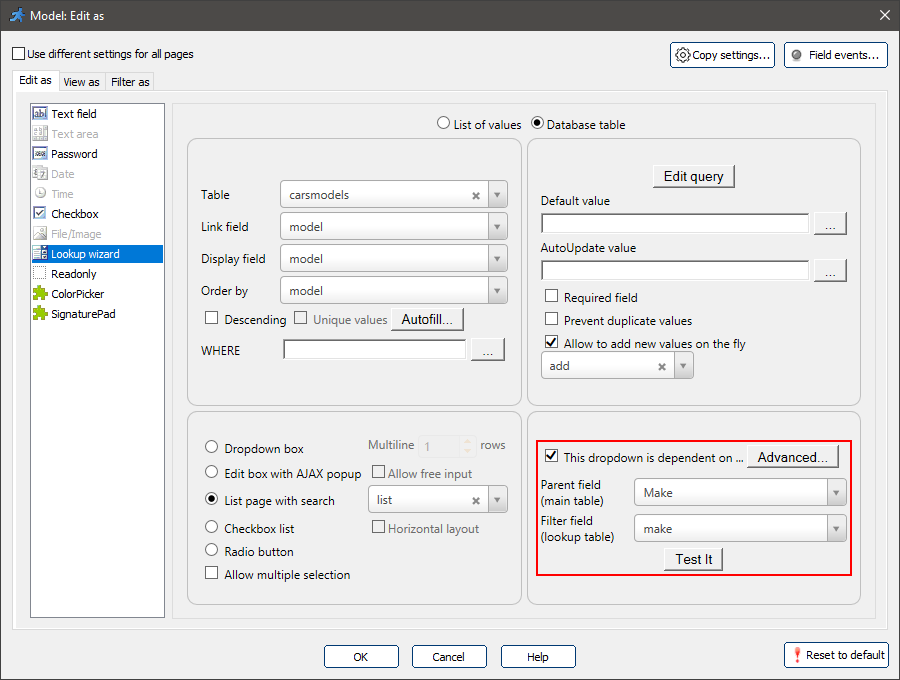
3. Click Test it to check how it works.
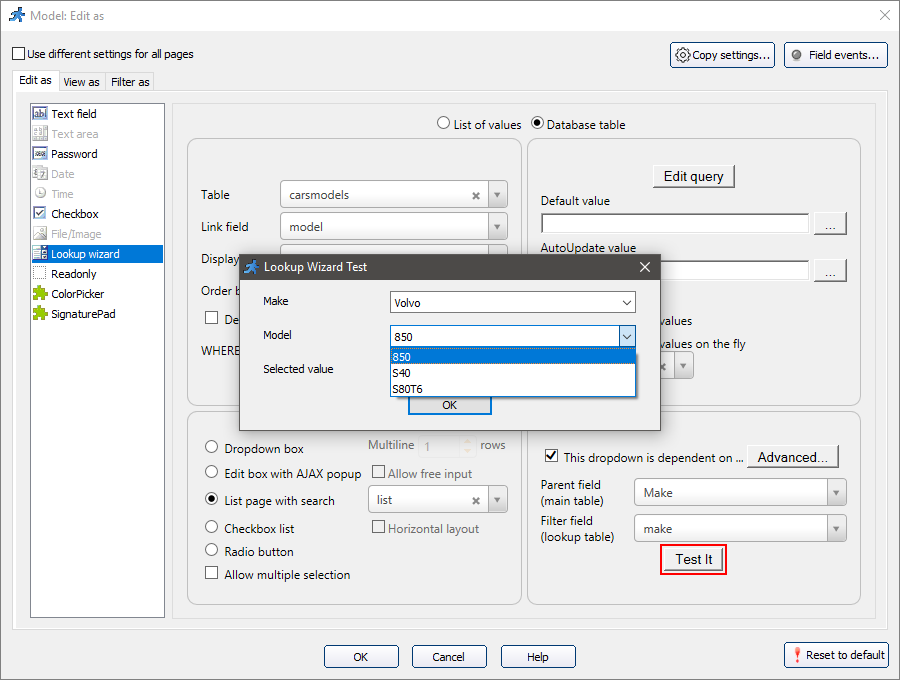
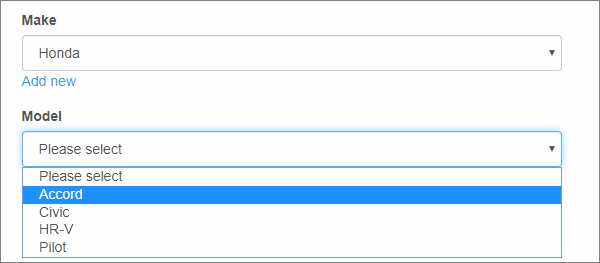
An example of an Edit page with a dependent dropdown list:
You can also create a chain of dependent value lists, where one list depends on two or more master controls.
Let's say, for example, that you store the year the models were produced in the Year field of the carsmodels table.
You can make the Model field content of the carscars table depend on the values of Make and YearOfMake fields.
That way, you can select only those models that were produced by the selected company in the selected year. To perform this:
1. Set Lookup wizard as the "Edit as" type for the Make, YearOfMake, and Model fields.
2. Make the YearOfMake depend on Make field.
3. For the Model field, select This dropdown is dependent on checkbox and click Advanced.
Then set up both Make and YearOfMake fields and click OK.
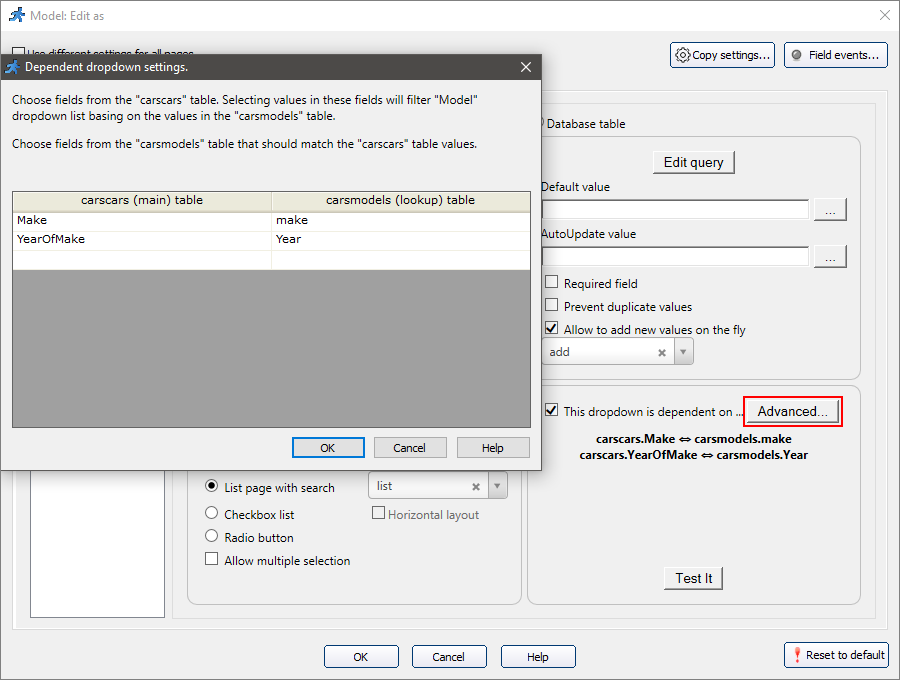
4. Click Test it to check how it works.
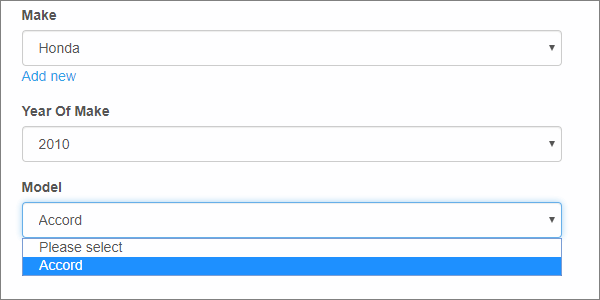
5. The resulting list may look like this:
Note: more than one dependent list can be tied to the same master control.
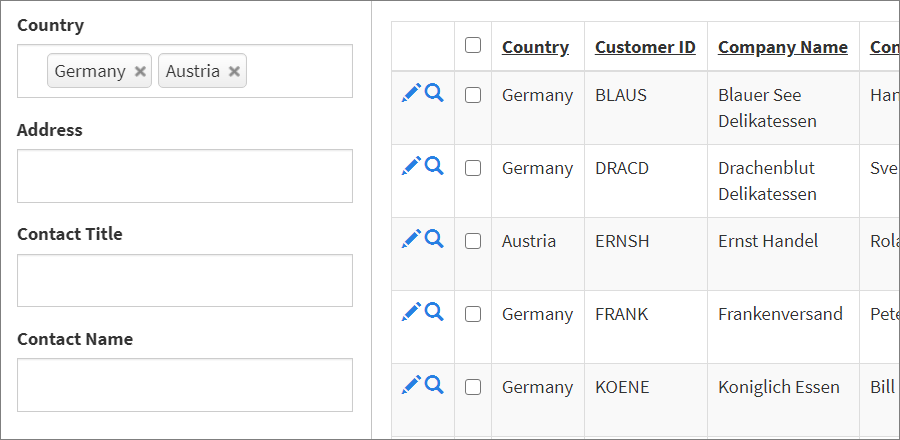
Lets say you have a list of customers and want users to display customers from a few selected countries. This is how you can do this.
•Configure this field as a Lookup wizard pointing it to Countries table
•Under 'Edit as' settings make sure 'Use different settings for all pages' is turned off.
•Make sure that 'Allow multiple selection' turned off.
•Now turn on 'Use different settings for all pages' option, switch to the 'Search' tab and enable 'Allow multiple selection' there only.
And this is how it is going to look in the generated application:
•The appearance of the Lookup wizard
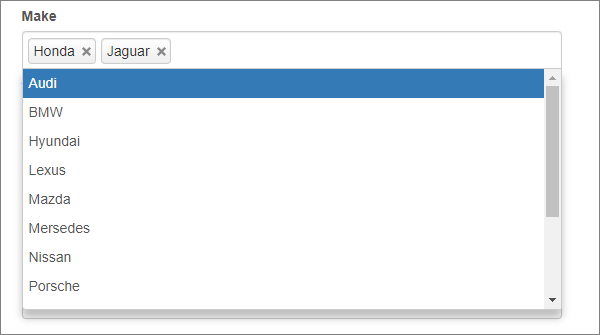
Dropdown box
This option makes the list of values display as a dropdown box. If you set the Multiline rows option to any value greater then one, this field will appear as a listbox on Add/Edit pages.
An example of a multiple selection dropdown box:
Edit box with AJAX popup
This option makes the field show only the values matching (or containing) the string, that is typed into the selected field.
An example of a multiple selection AJAX popup:
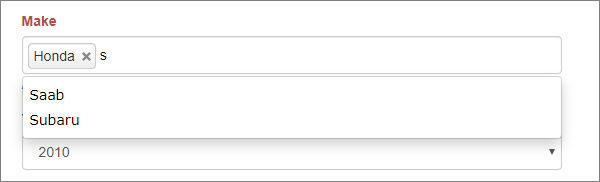
By default it performs STARTS WITH search. For instance, when you enter co, it will show Corolla. If you want to change this behavior and return both Corolla and Accord add the following code to the AfterAppInit event:
ajaxSearchStartsWith = false;
Checkbox/Radio button list
This option makes the list of values display as a set of checkboxes or radio buttons.
Users can select one or several values with the Checkbox list, and only one value - with the Radio buttons list. You can also select a Horizontal layout checkbox to display the elements horizontally.
A vertical checkbox list example:

A horizontal radio button list example:

List page with search
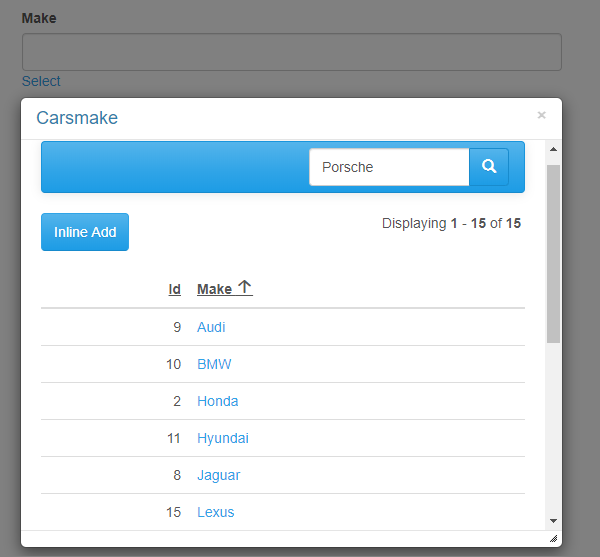
This option displays the Select button under the field. When you click on the field or the Select button, a popup window appears with a searchable List page of the lookup table.
You can specify which List page to open in the popup with a dropdown next to the List page with search option.
A list page with search example:
Multiple selection
Select the Allow multiple selection checkbox to allow users to select multiple values.
This option applies to every type of the Lookup wizard appearance.
See also: