The Azure Active Directory (Azure AD) enterprise identity service from Microsoft that provides single sign-on and multi-factor authentication. Official AzureAD website.
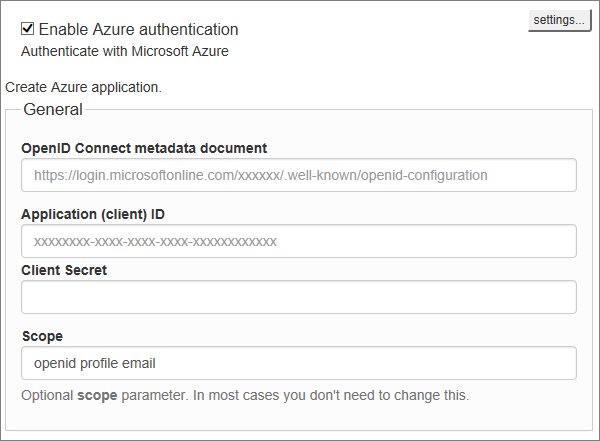
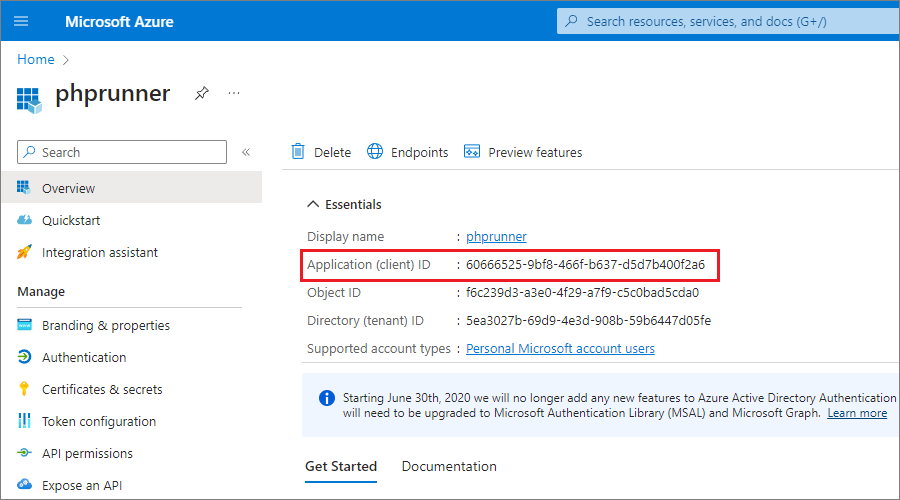
1. Application ID
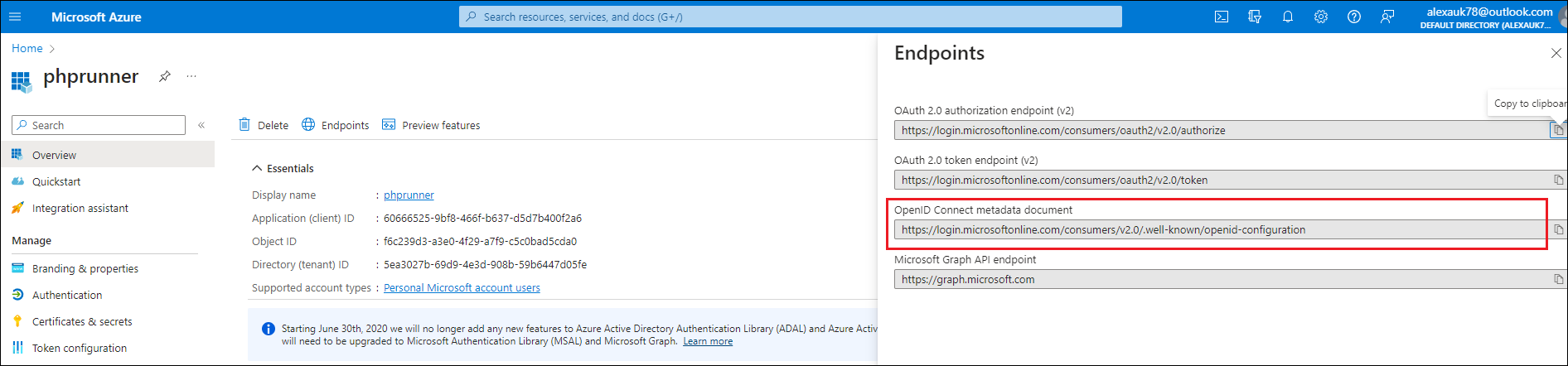
2. OpenID Connect metadata Document
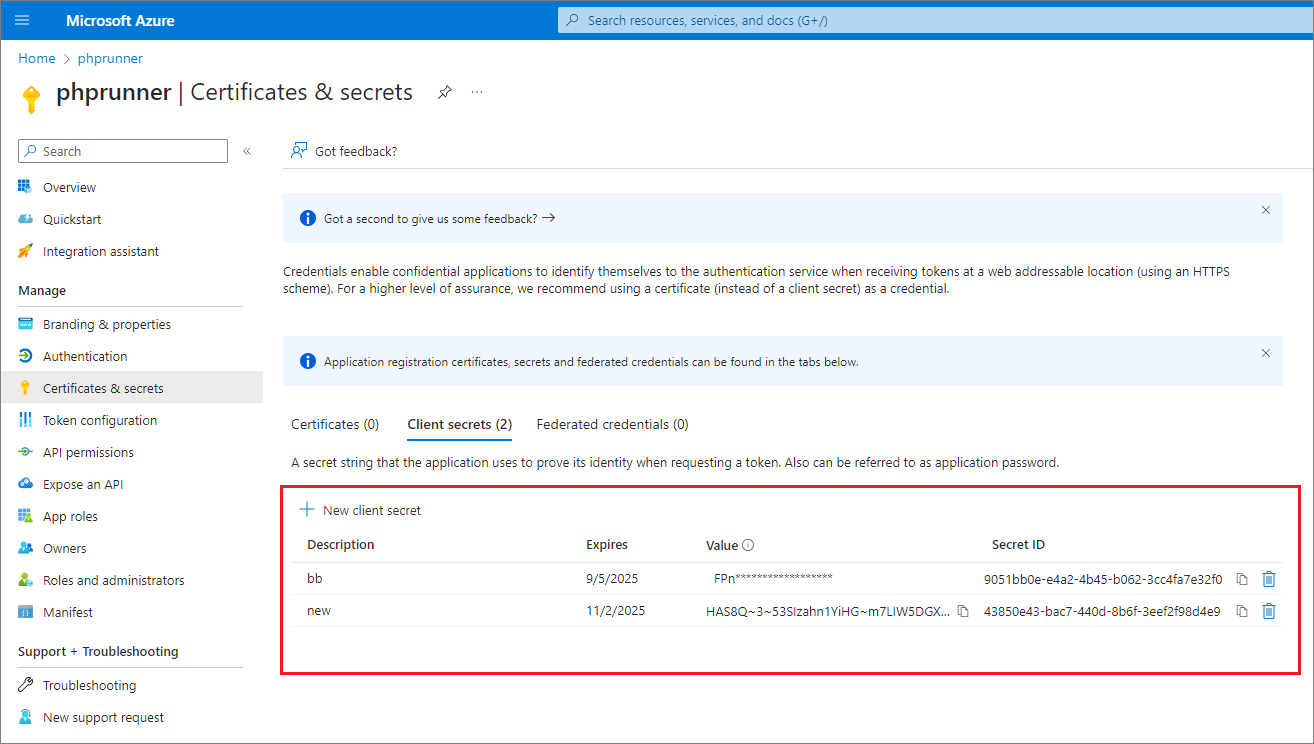
3. Client Secret
On the first screenshot click "Client credentials" and create "New client secret". You will be shown Secret ID and Secret Value. We only need the Value. Right it down right away, you can only see it once when it is created.
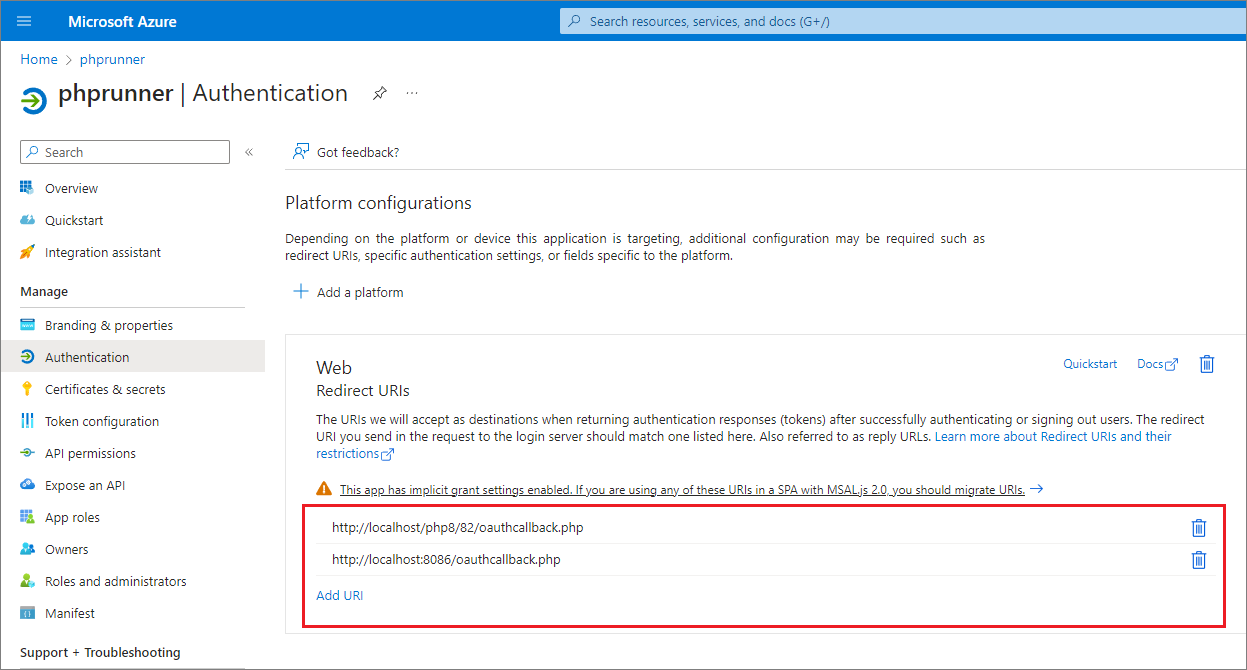
4. Redirect URI
When you specify callback URL in AzureAD settings use openidcallback file name. For instance, if your project resides at https://website.com/myproject, the callback URL will be https://website.com/myproject/openidcallback.
Security articles:
•CAPTCHA on authentication pages
See also: