Returns an array with two-factor settings like email field or phone number field.
Syntax
Security.twoFactorSettings(table)
Arguments
No arguments
Return value
Returns an array with two-factor settings.
Example
If we have the following two-factor settings in our project:
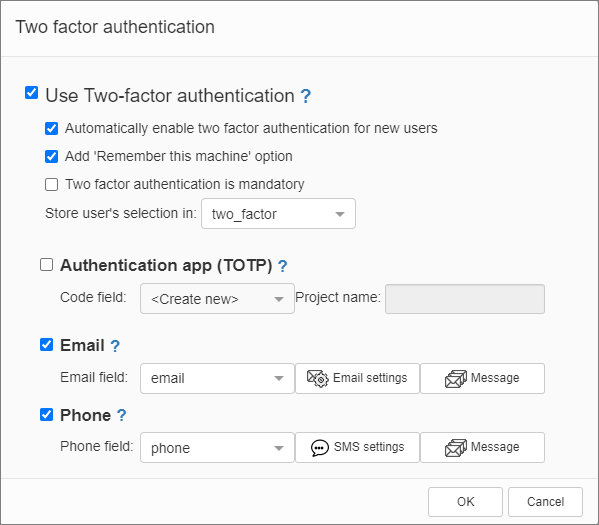
This example shows how to print two-factor settings:
dynamic twoFactorSettings = XVar.Array();
twoFactorSettings = XVar.Clone(Security.twoFactorSettings());
MVCFunctions.Echo(twoFactorSettings["emailField"]);
MVCFunctions.Echo("<br>");
MVCFunctions.Echo(twoFactorSettings["phoneField"]);
Sample output
email
phone
See also: