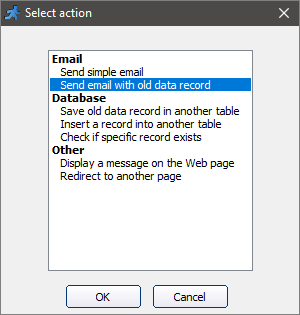
Send email with old data record action allows, upon changing the record, emailing the previous data.
You can edit several parameters: the text and the subject of the message, the sender and recipient email addresses.
Available in the following events:
•Edit page: Before record updated
•Edit page: After record updated
•List page: Before record deleted
Note: To use this action, you have to set up the Email settings. Press button  on the toolbar or write the code manually.
Note: To specify which table fields to email, edit the values assigned to msg variable.
'********** Send email with old data record ************
Dim tmpDict, msg, ret
msg =""
msg = msg & "Name : " & oldvalues("name") & vbcrlf
msg = msg & "Email : " & oldvalues("email") & vbcrlf
msg = msg & "Age : " & oldvalues("age") & vbcrlf
set tmpDict = CreateObject("Scripting.Dictionary")
tmpDict("to")="test@test.com"
tmpDict("subject")="Old data record"
tmpDict("body")=msg
set ret=runner_mail(tmpDict)
if not ret("mailed") then
response.write ret("message")
end if
See also:
•Send an email with attachment
•Send an email to selected users
•How to email selected records as separate PDF files