Quick jump |
Dynamic permissions are a User group permissions mode, that allows administrators to update the group permissions online, in the admin area of the application.
Press the Permissions button on the Security screen to open the User group permissions popup, then click Dynamic permissions.
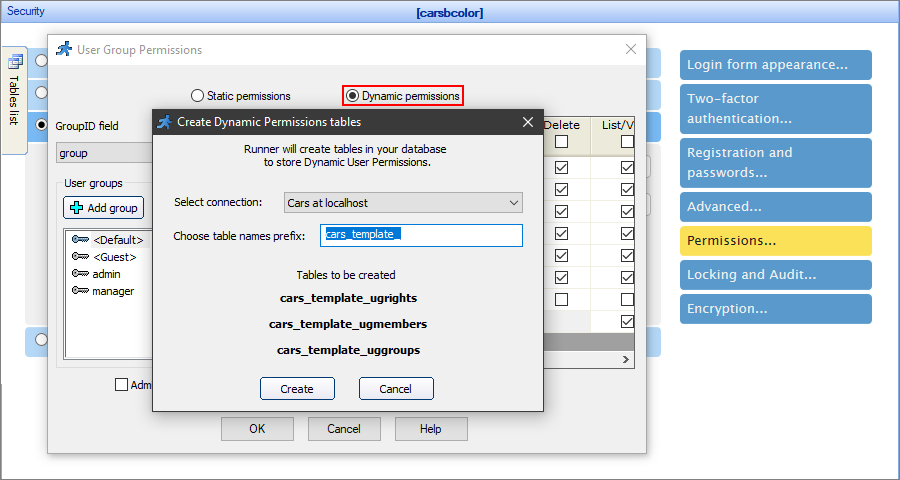
Dynamic permissions require three database tables to store the groups, their permissions, and the group members. You can select the existing tables, or ASPRunnerPro can create these tables automatically, you only have to choose the table names prefix.
Note: if you have several projects that share the same database, make sure to avoid permission conflicts by adding unique prefixes to the table names.
The next step is to select the administrators - the users with access to the admin area of the application. Click the Add admin user button to open the dialog. You can add an existing user or create a new one.
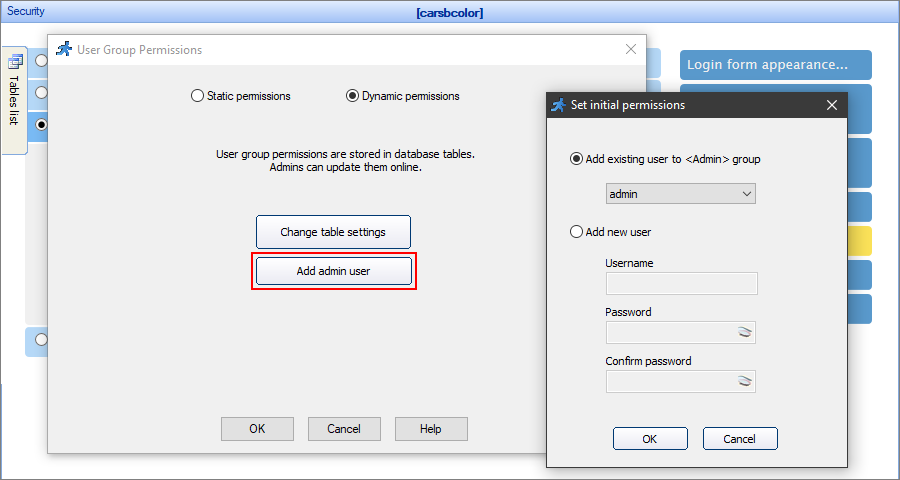
Note: you can have several administrators - add the users one by one using the Add admin user dialog.
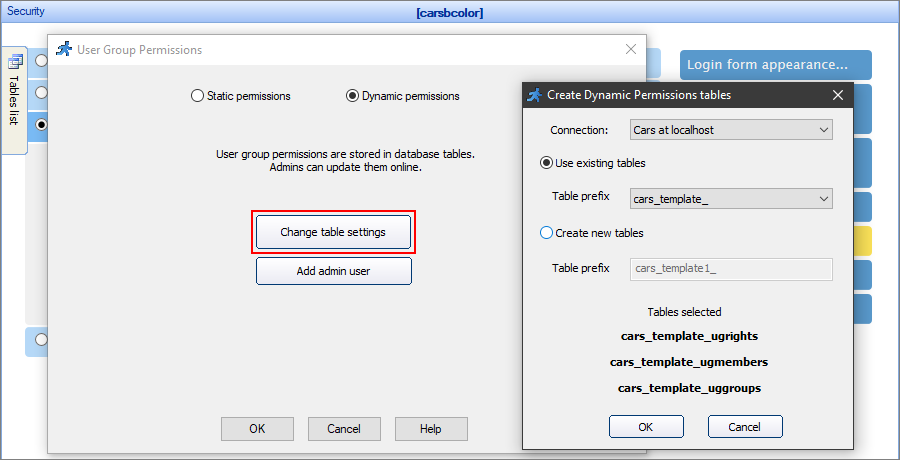
Click Change table settings to change the database connection, select another existing table name prefix, or create a new set of tables.
Admin area of the generated app
The admin area has several pages, where you can edit the group permissions and add new groups, assign users to groups, add or edit the users.
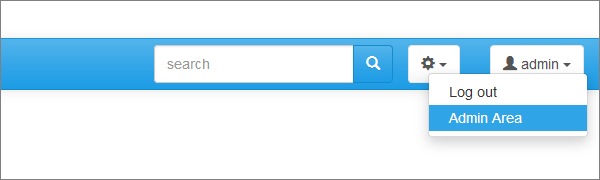
To access the admin area, log in as an administrator, click your profile, and select Admin Area.
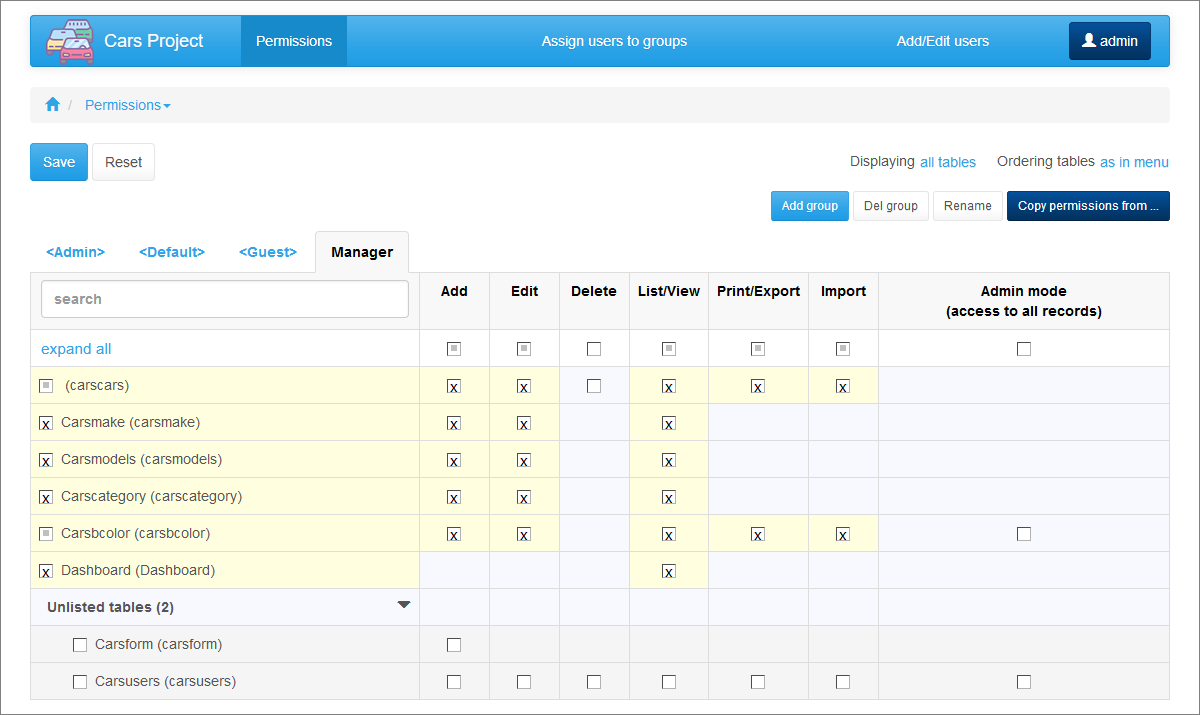
You can edit the permissions for the existing groups on the Permissions page. To switch between the groups, press the name tabs.
Add, Delete, or Rename the groups using the respective buttons. Click the Copy permissions from button to copy the permissions from another user group.
There are additional instruments to help you adjust the list of tables:
•Use the live search to narrow down the list of the tables.
•Display all tables or modified only.
•Order the tables alphabetically or as in the menu.
Note: starting with ASPRunnerPro version 10.3, you can set individual permissions for table pages and additional pages.
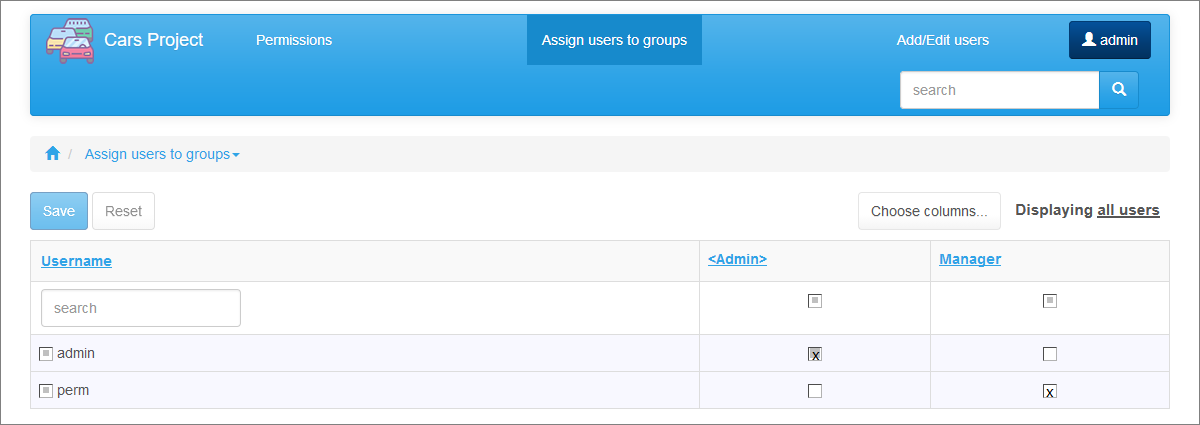
You can assign existing users to the added groups on the Assign users to groups page.
Choose the columns to show and select whether to display all users or the modified users. Use the live search to narrow down the list of the users.
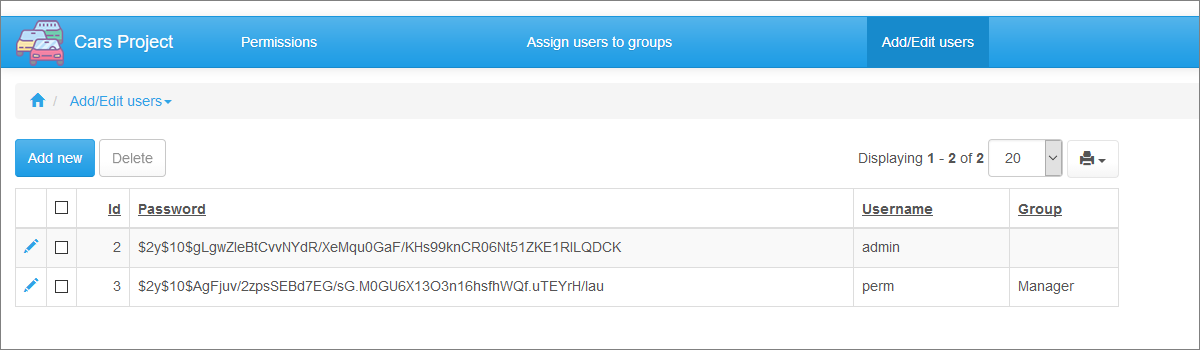
You can add, edit, or delete the existing users on the Add/Edit users page.
Note: user passwords are encrypted. See Encryption to learn more.
Security screen articles:
•CAPTCHA on authentication pages
See also: